
Announcements
The Announcements feature in the eSchool platform is designed to make it easier for teachers, education personnel, and school admins to disseminate important information to students or specific classes. Announcements are displayed in a table format and can be accompanied by supporting files or documents.
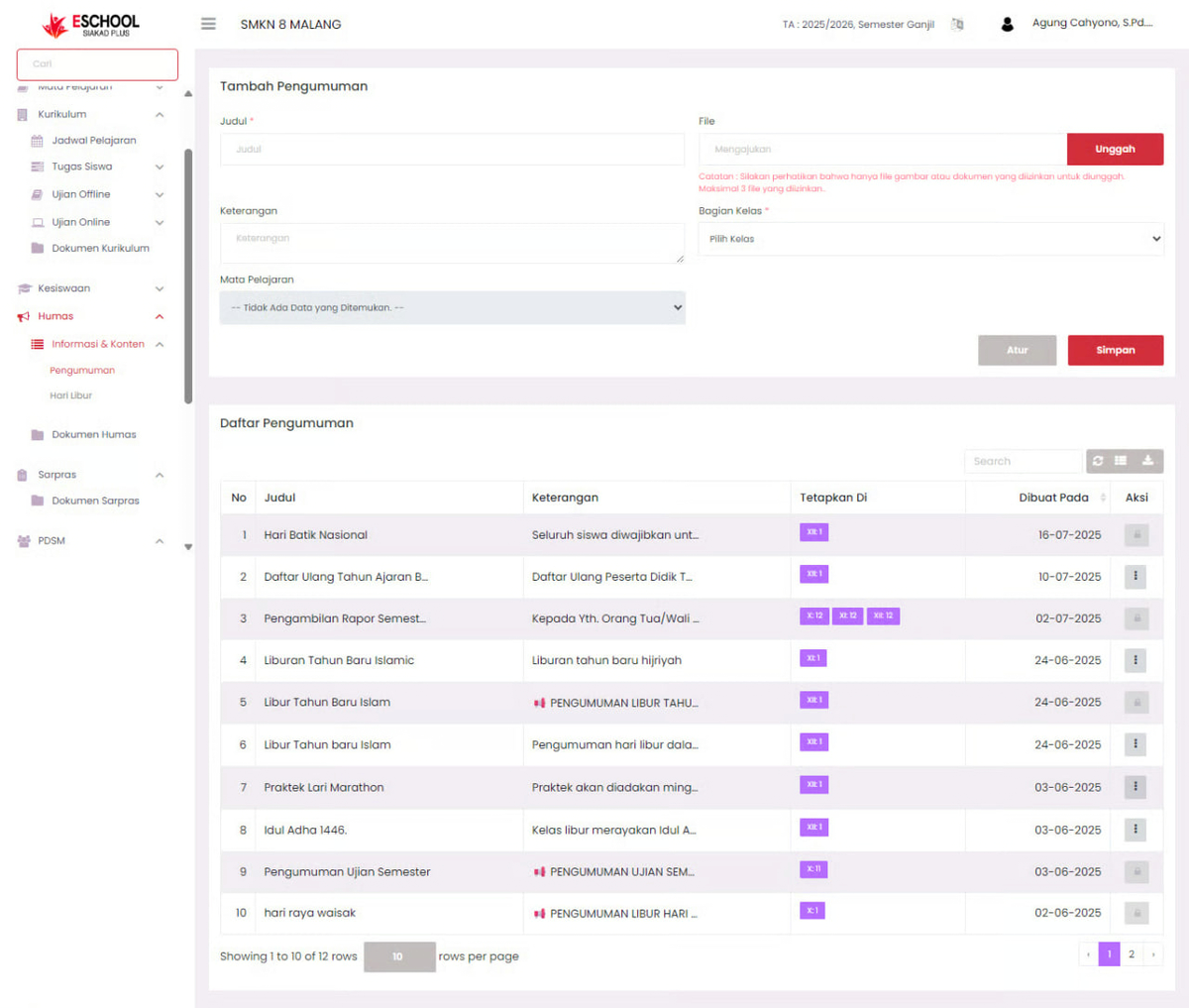
🧭 Announcements Page Navigation
This page consists of two main parts:
- Add Announcement Form (top section)
- Announcement List Table (bottom section)
➕ How to Add an Announcement
To create a new announcement, follow these steps:
1. Fill in the Add Announcement Form:
- Title (Required): Enter the announcement title, e.g., "Islamic New Year Holiday".
- Description: Write the content or a brief description of the announcement.
- File (Optional): Click the "Upload" button to add supporting images or documents (max. 3 files).
- Class Section: Select the class that will receive the announcement.
- Subject (Optional): Select if the announcement relates to a specific subject.
2. Click Save to save the announcement to the list.
✏️ Edit & 🗑️ Delete Announcement
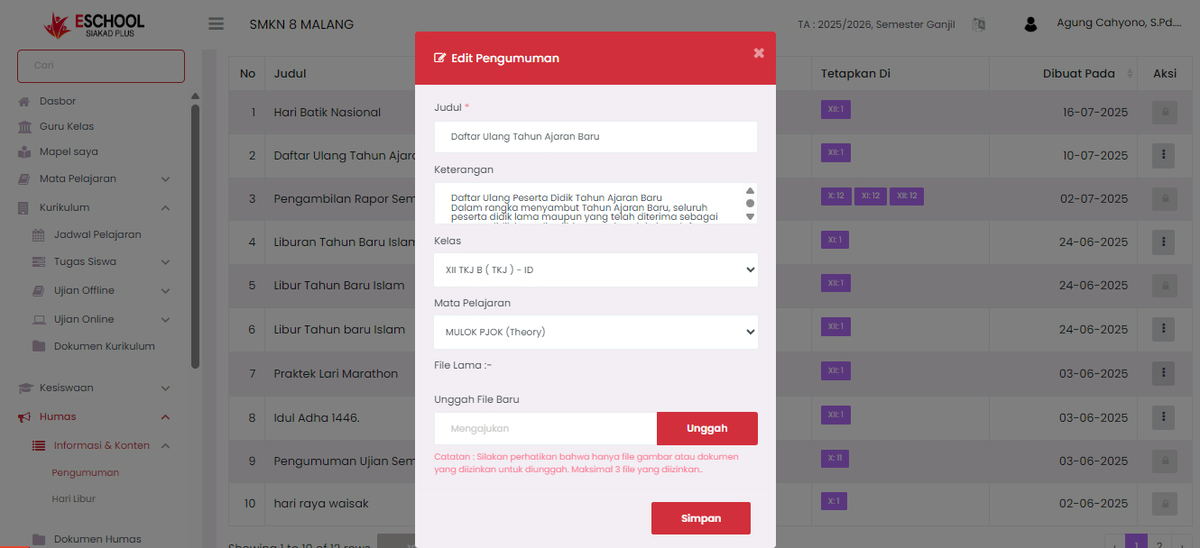
If you want to make changes or delete an announcement:
- Look for the announcement in the table below.
- Click the three dots icon (⋮) in the Action column on the announcement row.
- Select one:
- Edit: Will open the announcement form to be updated.
- Delete: Will delete the announcement from the system (confirmation required).
👁️ Viewing Announcement Details
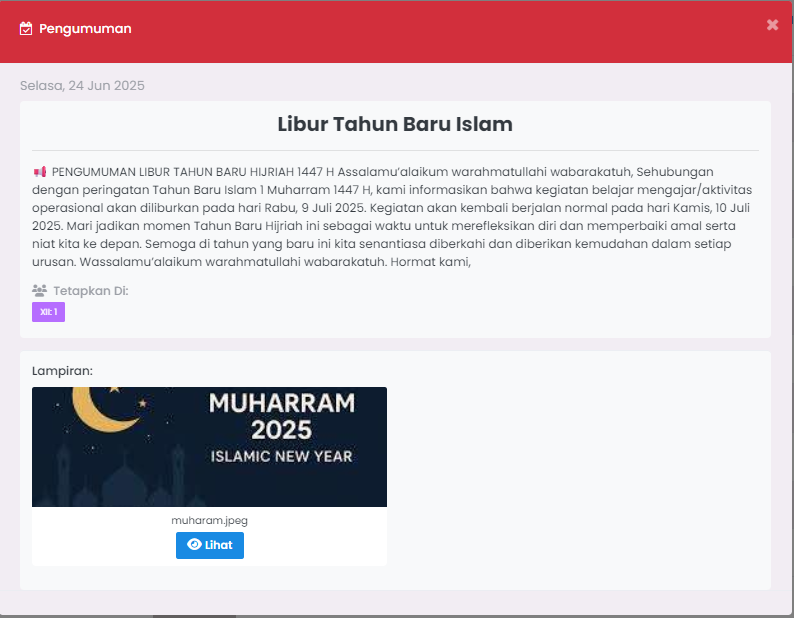
To view the full content of an announcement:
- Directly click on the title text in the announcement list table.
- A detail window will appear containing:
- Full title and content of the announcement.
- Date description & recipient.
- Attachments if any (files can be downloaded via the View button).
📌 Usage Tips
| Activity | Announcement Usage |
|---|---|
| National Holidays | Conveying red dates and schedule adjustments |
| School Activities | Information on competitions, scouts, LDKS, seminars, etc. |
| Academic Information | Exam announcements, report card distribution, re-registration |
| Daily Reminders | Notification of additional assignments or lesson changes |
If you require further assistance, contact us through the eSchool Help page.