
Leave
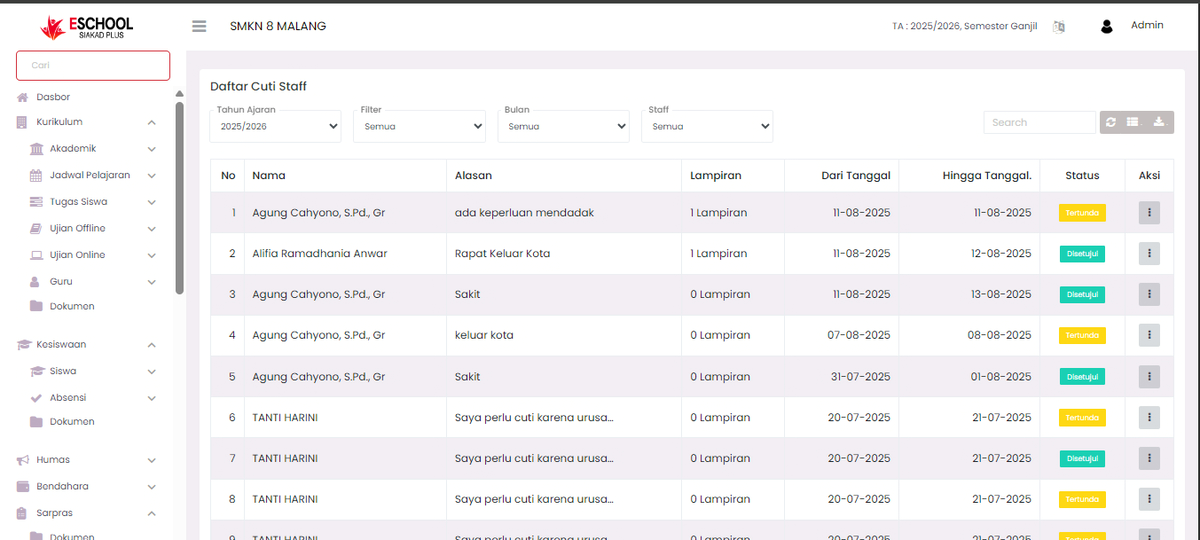
Page for managing school staff leave requests.
1. View Leave Requests
The main table on the Leave page displays all leave requests submitted by staff. The table contains the following information:
- Staff Name: The name of the staff who applied for leave.
- Leave Type: The category of leave (e.g., Annual Leave, Sick Leave, Important Reason Leave).
- Date: The start and end date of the leave.
- Duration: The total number of days off.
- Status: The current status of the application (e.g., Pending, Approved, Rejected).
Edit Leave Requests
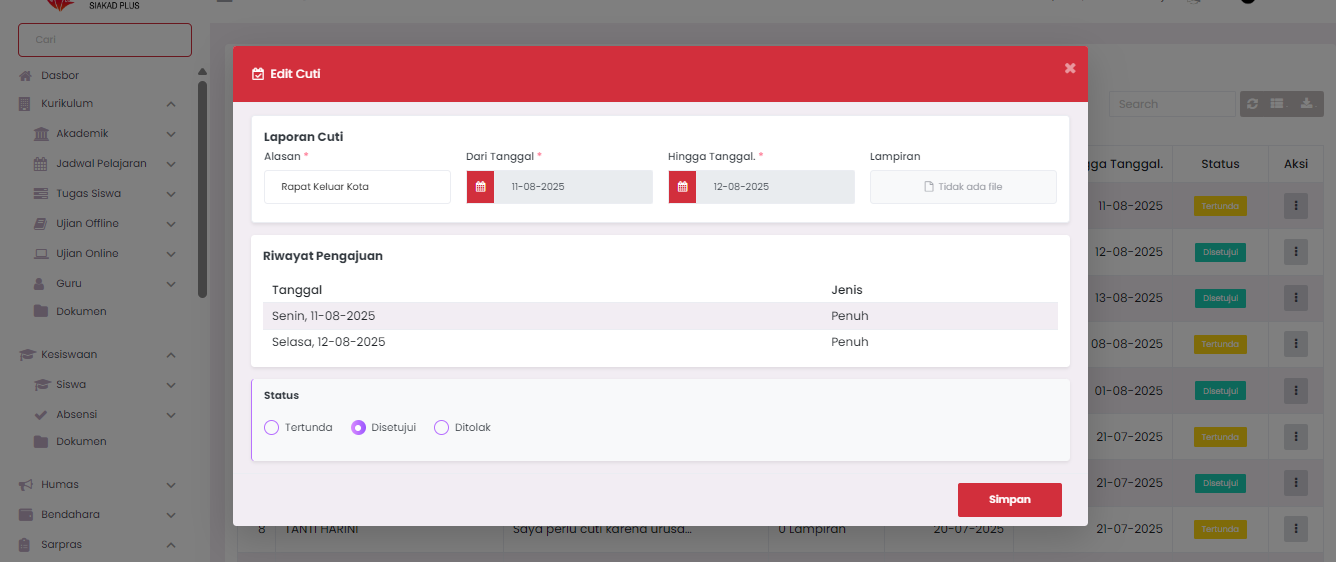
- Click the three dots icon (⋮) in the Action column
- Select the Edit option
- Change the necessary data
3. Usage Tips
- Use the Status filter to see requests that still need processing.
- Check the Attachments if a staff member applies for sick leave or leave with special reasons.
- Ensure leave approval is done in a timely manner so that operational school processes are not disrupted.
Need Further Help?
If you require further assistance, contact us through the eSchool Help page.