
Absent Teachers
Monitor and Manage Teacher Absence data
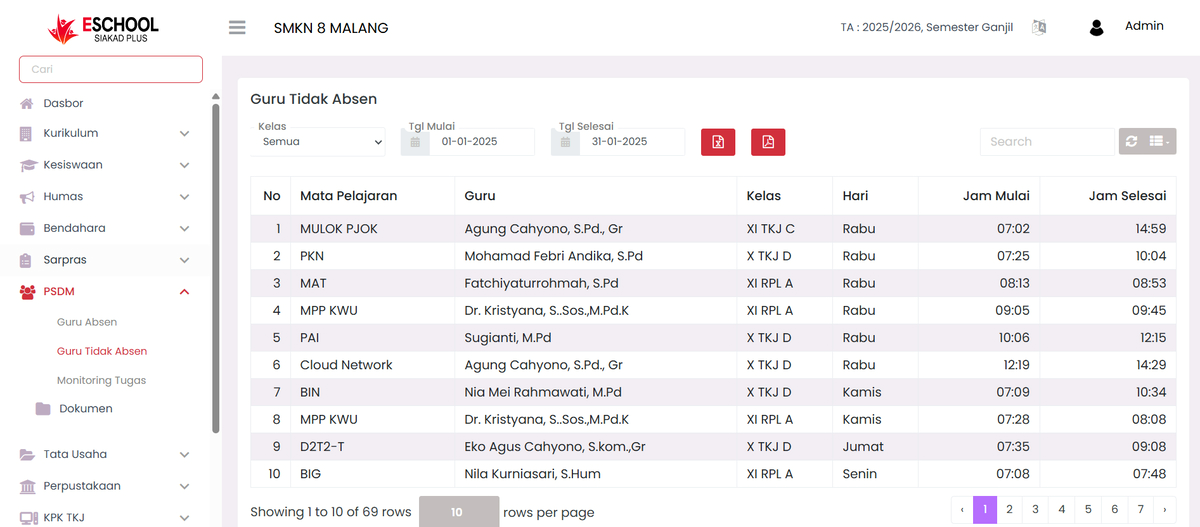
The Absent Teachers page in eSchool Siakad Plus is used to display a list of teachers who do not perform attendance on their teaching schedule. This feature helps the PSDM department monitor teacher absence accurately based on class, subject, and specific date range.
When to Use This Feature?
- When you want to check the list of teachers who do not perform attendance in a specific period.
- To monitor teacher absence patterns.
- As a material for making PSDM reports related to teacher attendance.
- For teacher performance evaluation needs based on attendance data.
Main Features
1. Data Filter

- Class → Select a specific class or display all classes.
- Start Date & End Date → Determine the time range of data you want to display.
- Search → Quick search based on teacher name, subject, or class.
2. Absent Teachers Data Table
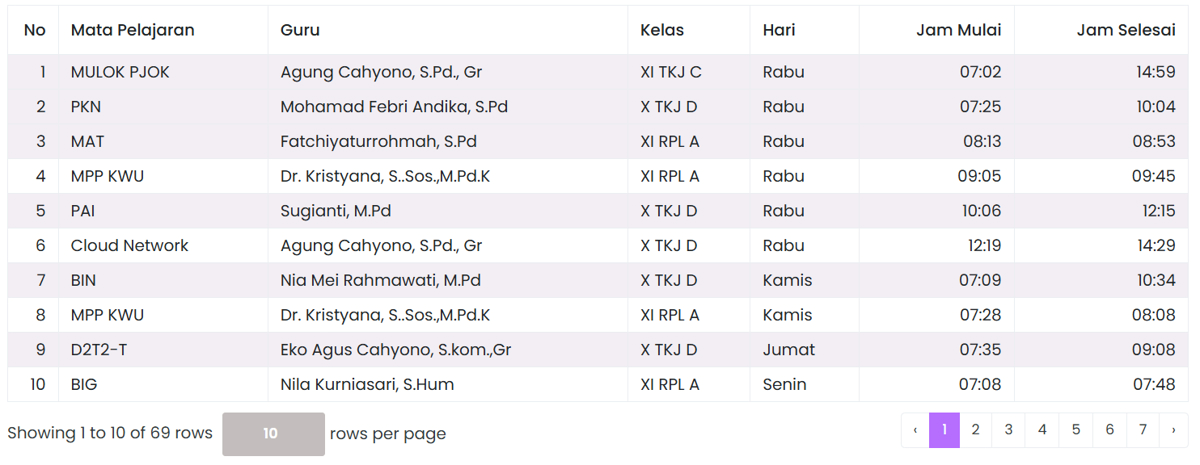
Displayed columns:
- No → Data sequence number.
- Subject → Name of the subject taught.
- Teacher → Name of the teaching teacher.
- Class → Class place of teaching.
- Day → Teaching day.
- Start Time → Initial teaching time.
- End Time → Final teaching time.
3. Data Export

- Export Excel → Download report in
.xlsxformat. - Export PDF → Download report in
.pdfformat.
Usage Tips
- Use class and date filters to narrow down data search.
- Perform checks regularly so that teacher absence data is always monitored.
- Use export results for official documentation or reporting to leaders.
- This data can be an initial indicator for taking coaching steps against teachers who frequently do not perform attendance.
Need Further Help?
If you require further assistance, contact us through the eSchool Help page.