
Teacher Monitoring
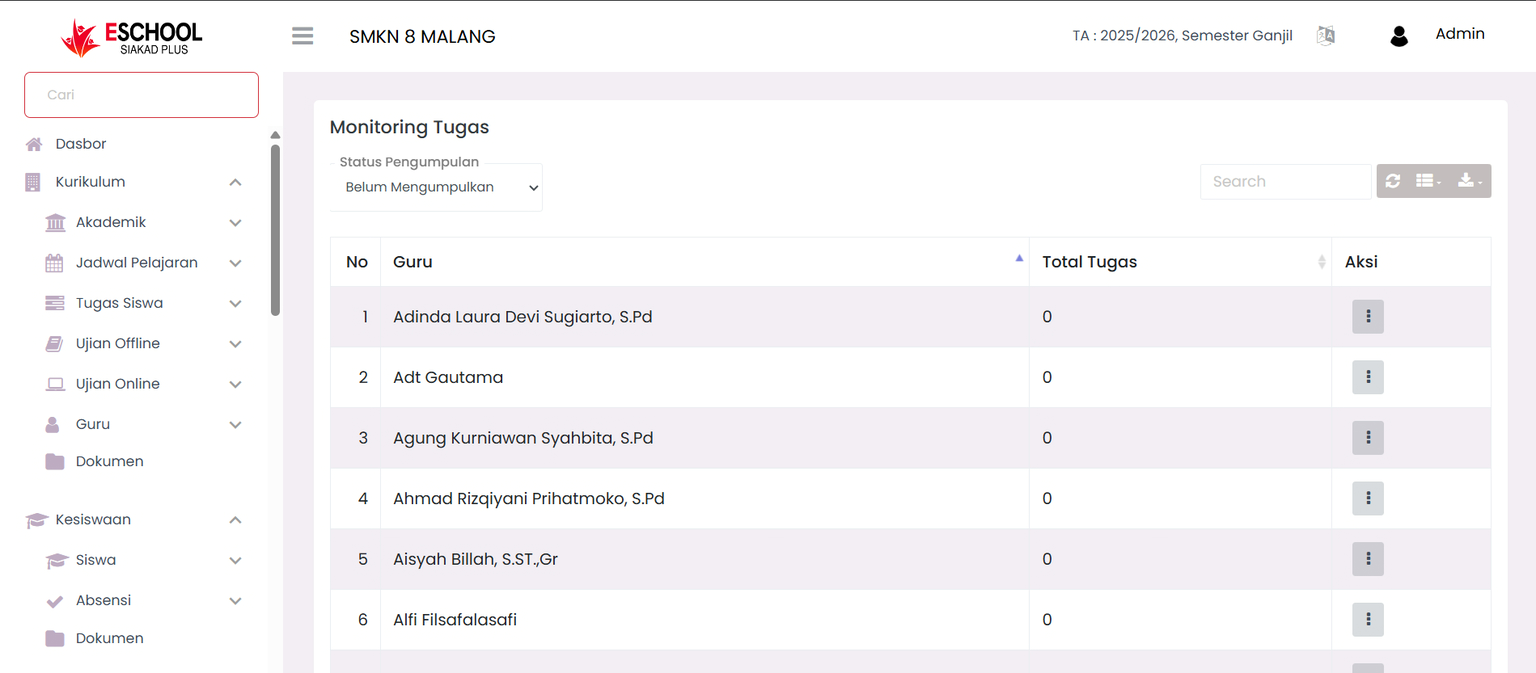
Monitor Task Submission Status by Teachers
The Task Monitoring page in eSchool Siakad Plus helps the PSDM (Human Resource Development) department monitor task submission activities created by teachers, both those that have been submitted and those that have not. This feature facilitates teacher performance monitoring related to task assignment and management.
When to Use This Feature?
- When you want to see a list of teachers who have not submitted or have already submitted tasks.
- To monitor the number of tasks made by teachers in a specific period.
- As a basis for evaluating teacher performance in the learning process.
- To see details of tasks given to students, including subjects, classes, and deadlines.
Main Features
1. Data Filter

- Submission Status → Select Not Submitted or Already Submitted.
- Subject (in detail menu) → Filters tasks based on a specific subject.
- Class (in detail menu) → Displays tasks according to class.
- Start Date & End Date (in detail menu) → Determines the task period to be displayed.
- Search → Search quickly based on teacher name, subject, or class.
2. Task Monitoring Table
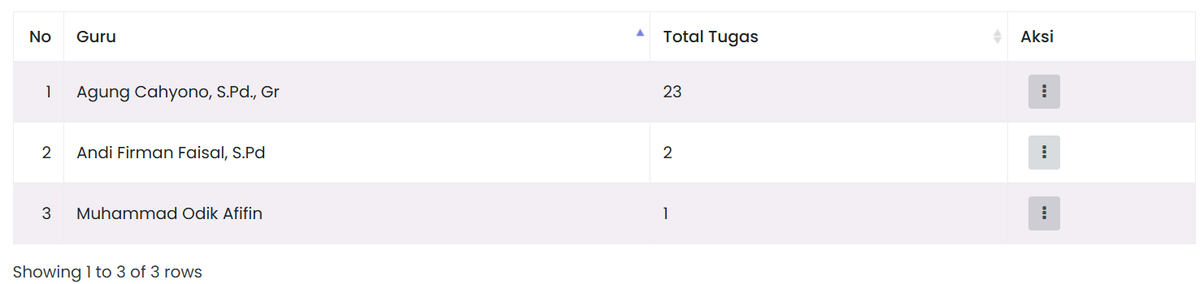
- Teacher → Name of the teacher who made or has not made a task.
- Total Tasks → Number of tasks recorded according to the filter.
- Action → Three dots ⋮ button to open the Detail option.
3. Task Detail
Displays a full list of tasks with:
- Task Name
- Subject
- Class
- Start Date
- Deadline
- End Date
Can be filtered again based on subject, class, or date range. Facilitates monitoring of lateness or discipline in assigning tasks.
Usage Tips
- Use the Submission Status filter to separate teachers who have and have not made tasks.
- Perform regular checks to monitor teacher consistency in giving tasks.
- Utilize task details to analyze the quality and variety of tasks given.
Need Further Help?
If you require further assistance, contact us through the eSchool Help page.