
Teacher Attendance
Manage and Monitor Teacher Attendance in Teaching
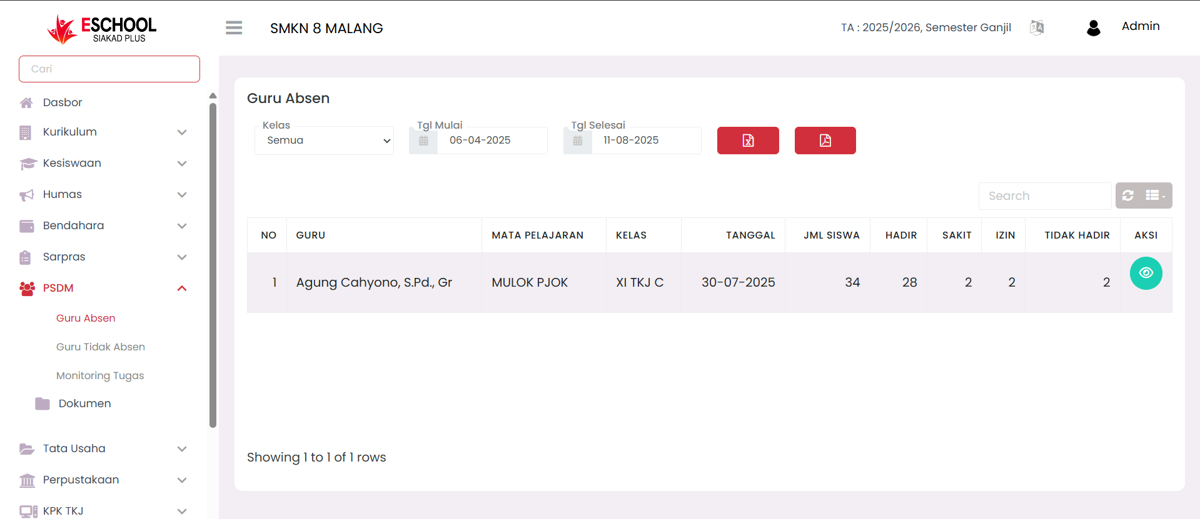
The Teacher Attendance page in eSchool Siakad Plus is used to display and manage teacher attendance data in teaching. This feature helps the PSDM department monitor teacher attendance accurately based on class, subject, and specific date range.
When to Use This Feature?
- When you want to check teacher attendance in a specific period.
- To monitor the percentage of attendance, permission, sick, and teacher absence.
- As a basis for creating teacher attendance reports.
- To make corrections or updates to student attendance status on specific meetings.
Main Features
1. Data Filter

- Class → Select one class or display all.
- Start Date & End Date → Determine the time range of the data you want to display.
- Search → Quick search by teacher name, subject, or class.
2. Teacher Attendance Data Table

Displayed columns:
- Teacher → Name of the teaching teacher.
- Subject → Subject taught.
- Class → Class place of teaching.
- Date → Teaching time.
- Number of Students → Total students in that class.
- Present, Sick, Permission, Absent → Recap of student status in that meeting.
- Action → View Detail button to open the detailed student attendance recap.
3. Data Export
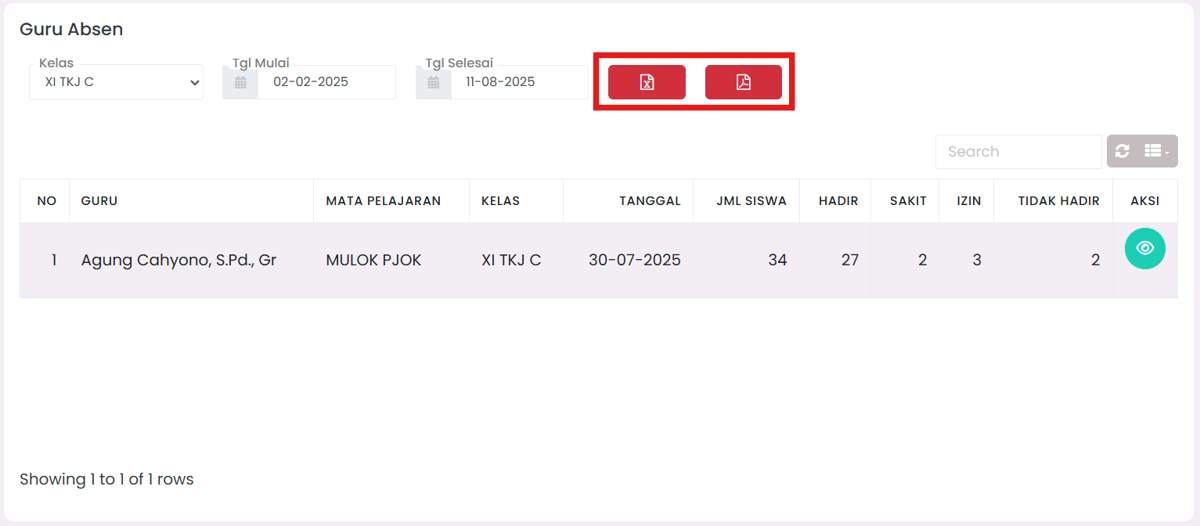
- Export Excel → Download report in XLSX format.
- Export PDF → Download report in PDF format.
4. Attendance Detail
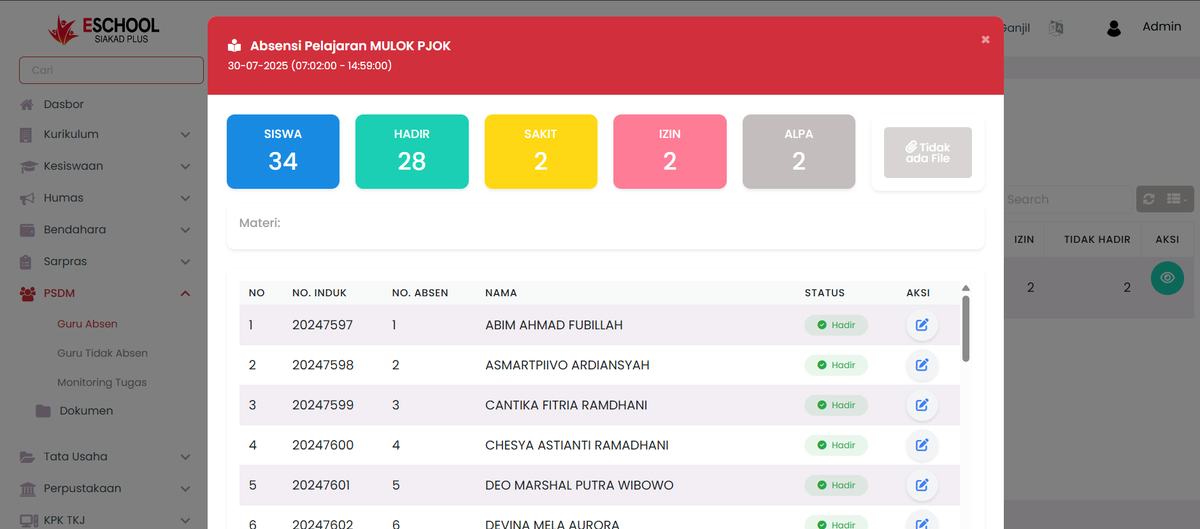
Click the button in the Action column to display:
- Summary of the number of students per status (Present, Sick, Permission, Alpha).
- List of students along with their status.
- Edit button on each student to change attendance status and number of lesson hours (JP).
Edit Action
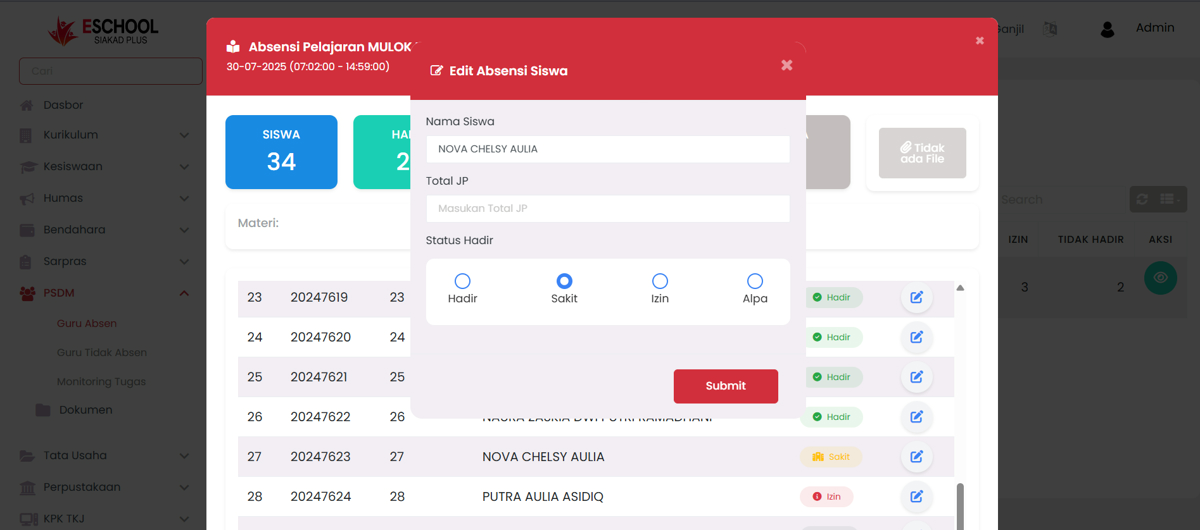
- Edit Attendance → Change status (Present, Sick, Permission, Alpha) and fill in total JP.
- Save → Save changes.
Need Further Help?
If you require further assistance, contact us through the eSchool Help page.