
Exam Results
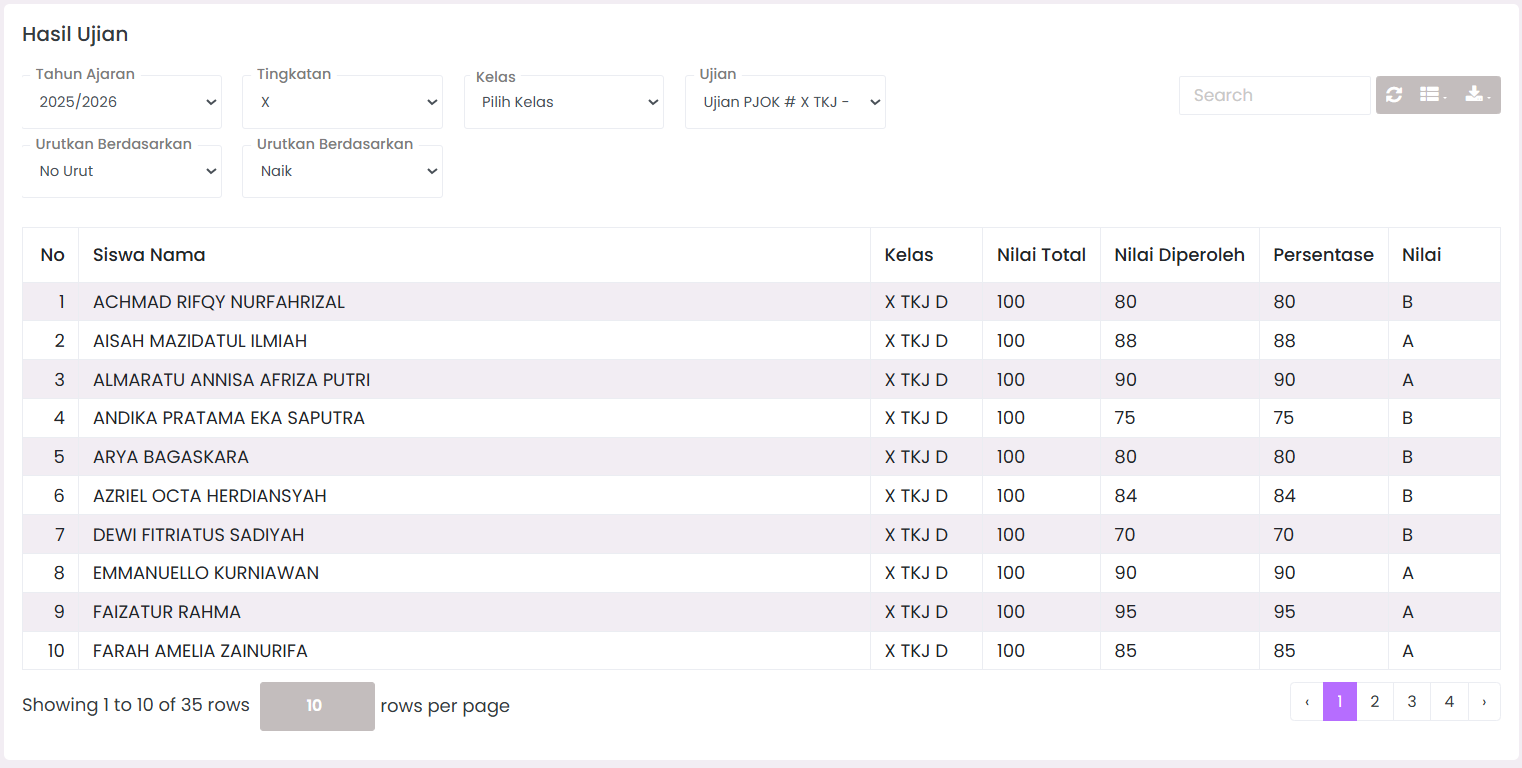
The Exam Results page is a place for Teachers to re-examine the results that have been uploaded or processed previously. This page makes it easier for Teachers to monitor students' learning achievements collectively per class.
📊 Main Features of Exam Results
| Feature | Description |
|---|---|
| Score Recap | A table displaying the list of students along with the final scores obtained. |
| Publication Status | Information on whether the scores have been published and are visible to students in their portal. |
| Data Search | Search column to quickly find a student's name. |
🔍 Search Filter Options
To facilitate the search for score recaps, you can filter the data based on:
- 📅 Academic Year → View score history from previous years.
- 🏫 Level & Class → Focus assessment on a specific class.
- 📖 Subject → Display specific data per teaching subject.
🏛️ Strategic Functions
- 📂 Digital Archive → Stores score data permanently and organized.
- 📈 Learning Evaluation → Facilitates analysis of student score trends in each class.
- ✅ Data Validation → Final stage of checking scores before being entered into the Digital Report Card system.
⚠️ Troubleshooting
| Problem | Common Cause | Solution |
|---|---|---|
| Student Scores Do Not Appear | Scores haven't been saved or published by the Teacher. | Ensure scores are saved in the Fill in Scores menu and published via the action icon (⋮) on the main module. |
| Scores Still Empty in Portal | Exam result status has not been published to students. | Click the action icon (⋮) on the related exam list on the main page then select Publish. |
| Inconsistent Student Data | Error in pulling class data when the exam was created. | Verify student data with the latest attendance list through the Admin. |
📞 Need Further Assistance?
If you still encounter issues, contact us via the eSchool Help Page.