
Edit Question
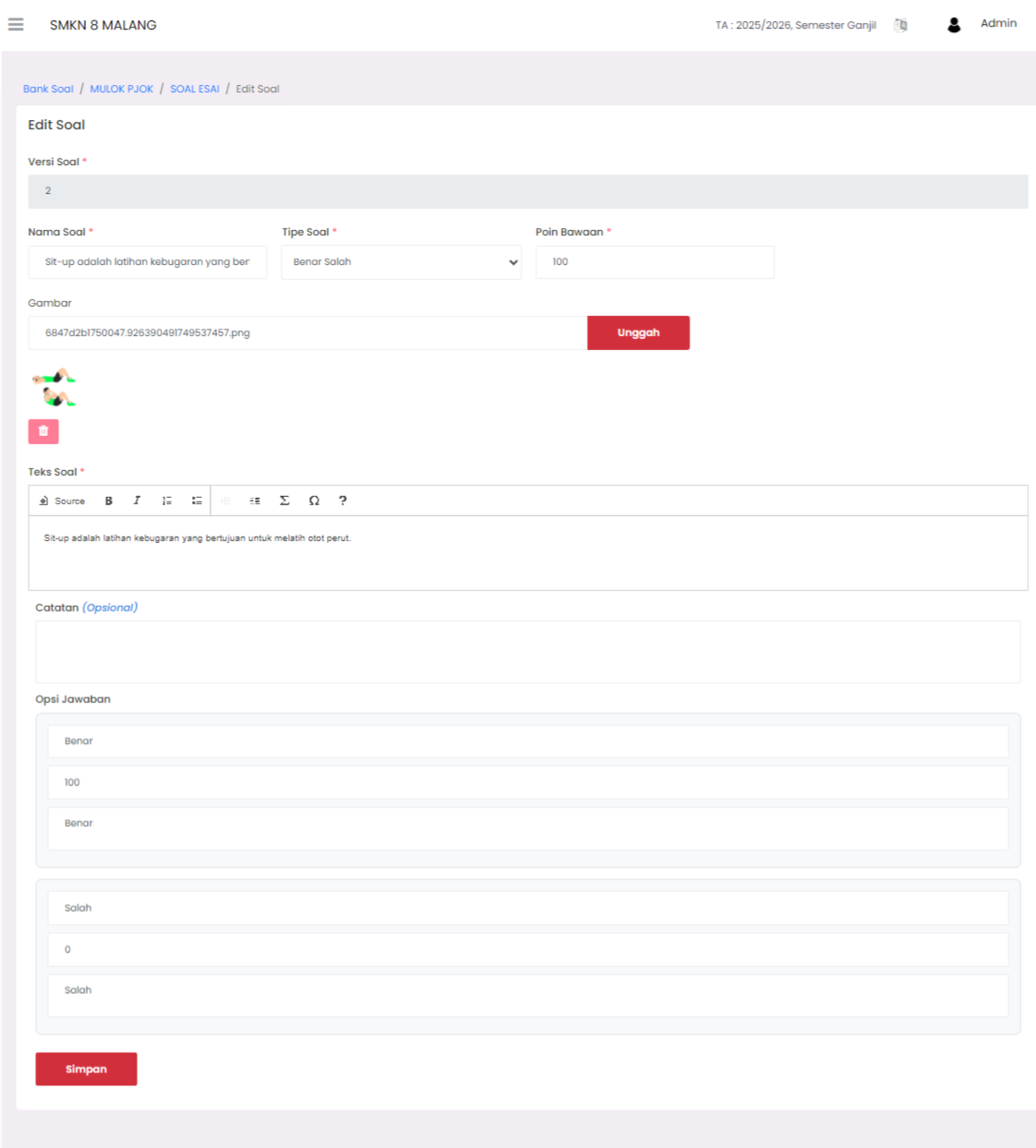
The Edit Question feature is used to update or evaluate existing question items in the Question Bank. This makes it easy for Teachers to fix typos, change points, or update answer keys without having to create a question from scratch.
How to Access
- Go to the Question List page (inside the Question Bank menu).
- Find the question you want to modify.
- Click the three-dot icon (⋮) in the Action column.
- Select the Edit menu.
What Can Be Changed
| Section | Usage |
|---|---|
| Question Text | Fixing typos or clarifying the question sentence. |
| Points/Weight | Adjusting the difficulty level with the score given. |
| Image Media | Replacing or removing supporting images. |
| Answer Key | Revising if there is an error in the correct answer settings. |
Important to Know
[!NOTE] Changes to questions in the Question Bank will not automatically change questions in an ongoing exam. Ensure questions are evaluated before the exam agenda is published to students.
Final Step
After making corrections, make sure to press the Save button to update the question data in the system database.
📞 Need Further Assistance?
If you need further technical guidance, visit the eSchool Help Page.