
Special Activity Attendance
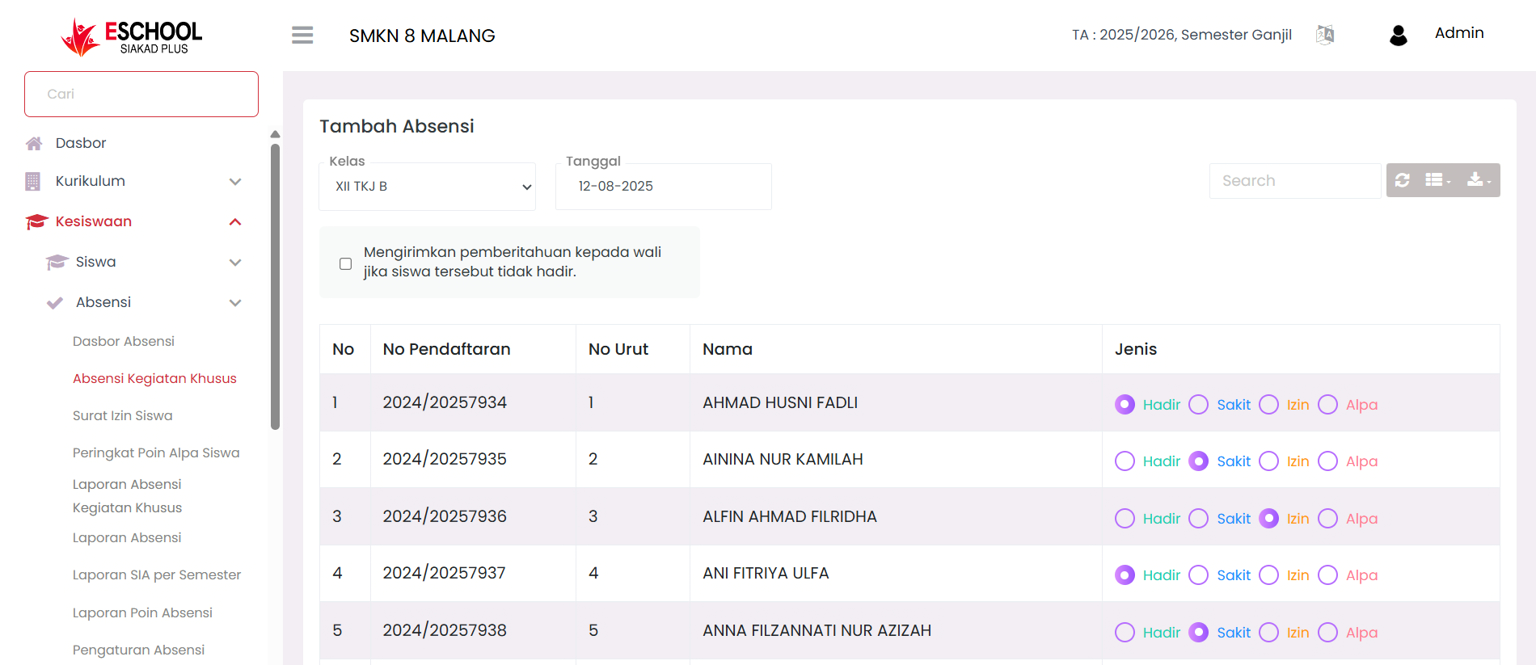
The Special Activity Attendance feature in eSchool makes it easy for teachers or class operators to record daily student attendance efficiently. A list-based view complete with attendance type choice buttons makes this process faster, more structured, and accurate.
🛠️ How to Use the Add Attendance Feature
1. Select Class and Date
- Use the class dropdown (for example:
X METRO A) to select the group. - Specify the attendance date in the calendar column, for example
29-07-2025.
2. Automatic Student List Appears
After the class and date are selected, the system will display all students in that group with columns:
- Sequence Number
- Full Name
- Registration Number
- Attendance Type (Radio Button: Present, Sick, Permission, Alpha)
3. Filling in Individual Attendance
Each student row has four status options:
- 🟢 Present
- 🔵 Sick
- 🟣 Permission
- 🔴 Alpha
Click one of the radio buttons according to the student's condition that day.
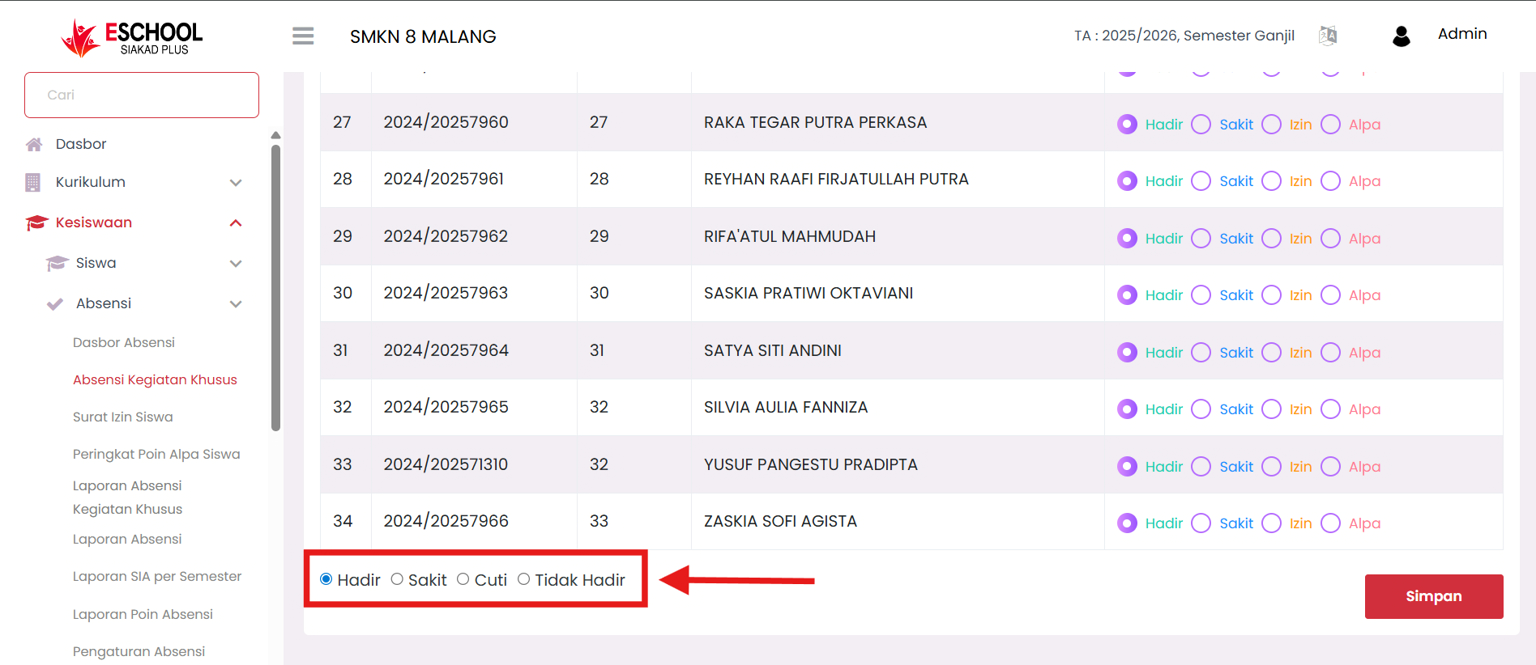
🧩 Bulk Edit Feature: Select Status en Masse
🔻 [KEY FEATURE FOR TIME SAVING]
If many students have the same attendance status, for example the whole class is present, you don't need to click one by one. Use the bulk selection feature at the bottom of the list:
➡️ Click the radio button according to the status you want to apply to all students:
- Example: Click ⭕ Present at the bottom, then all students will automatically be marked as "Present".
💡 You can still change the status for specific students after applying the bulk edit.
4. Save Attendance
After finishing marking the attendance status of all students:
- Click the red "Save" button at the bottom right.
✅ Module Advantages
| Feature | Benefit |
|---|---|
| Bulk Attendance Edit | Speeds up data entry for large groups |
| Automatic Notification to Guardians | Increases transparency & parent involvement |
| Integrated NIPD/NISN List | Direct student data validation from the system |
| Quick Class & Date Navigation | Makes it easy for teachers to record daily without hassle |
If you require further assistance, contact us through the eSchool Help page.