
Guardians
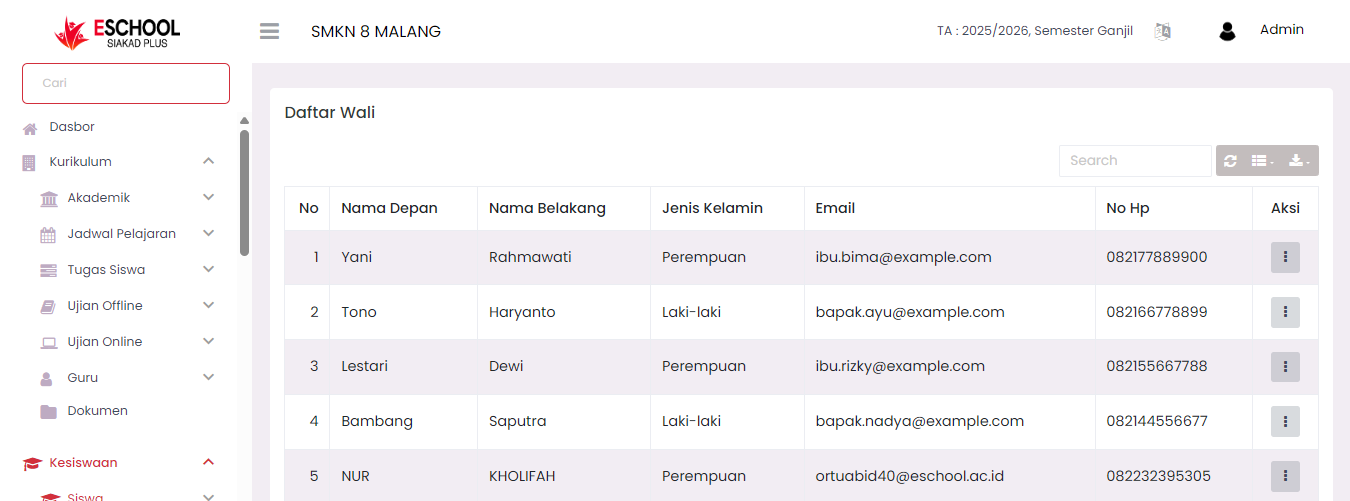
The Guardian List page displays all guardian data connected to active students in the school. This data is important for communication needs, verification, and granting guardian portal access.
Guardian List Table View
This table displays important information such as:
| Column | Description |
|---|---|
| No | Sequence number of display |
| First Name | Guardian's first name |
| Last Name | Guardian's last name |
| Gender | Male / Female |
| Guardian account email used for login | |
| Mobile No | Guardian's phone number |
| Action | Three dots icon (⋮) for editing data |
A search feature is also available to find guardians based on name, email, or mobile number.
Edit Guardian Data
To edit guardian data:
- Click the three dots icon (⋮) in the action column.
- Select the Edit option.
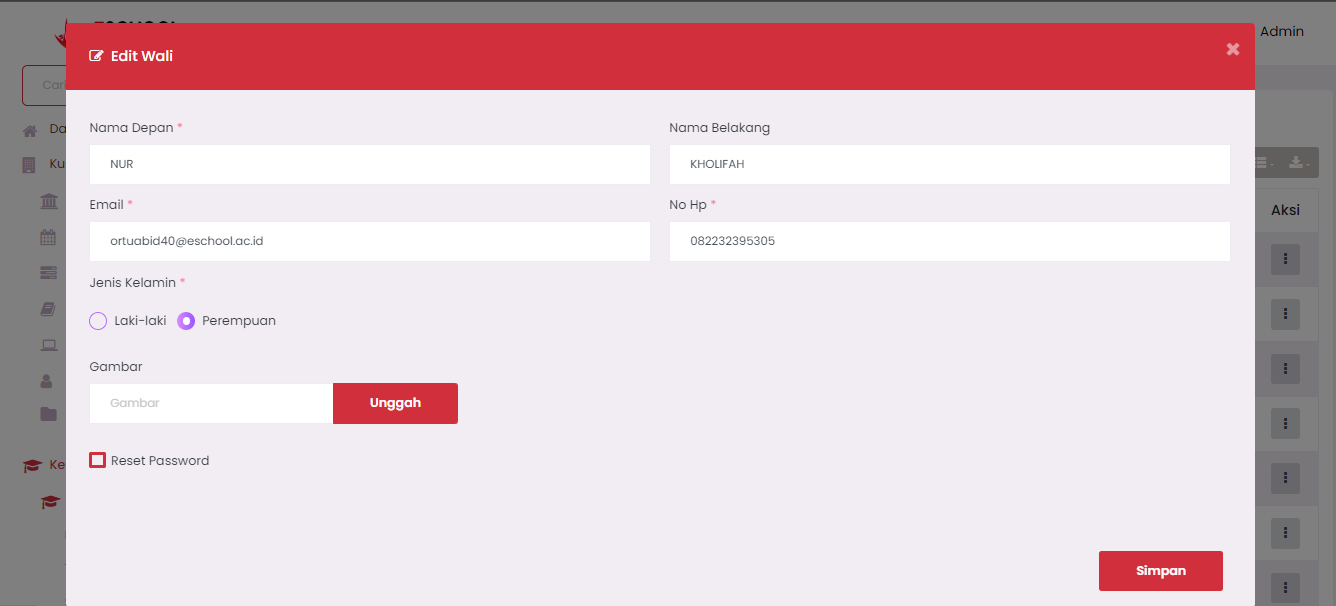
- An edit form will appear as shown in the image.
Edit Guardian Form
| Field | Explanation |
|---|---|
| First Name | Guardian's first name (required). |
| Last Name | Guardian's last name (if any). |
| Guardian account email used to log into the system. | |
| Mobile No | Active phone number for communication with the school. |
| Gender | Options: Male or Female. |
| Upload Image | Optional, to add guardian profile photo. |
| Reset Password | Check if you want to reset the guardian's account password. |
Click the Save button to save guardian data changes.
Reset Password Feature
If guardians forget their account password:
- Admins can check the Reset Password option in this form.
- The system will reset the password and the guardian can log in again with the default set by the system (usually announced by the school).
Important Notes
- Ensure guardian emails are not duplicate (unique) to avoid account conflicts.
- If one guardian has more than one child, the system automatically connects them through the same account.
- Data changes here will immediately impact the display on the guardian portal.
Practical Tips
- Use full guardian naming to avoid confusion.
- Always ensure Mobile No and Email are active so that important information from the school can be received.
- It is recommended to upload guardian photos for visual identification purposes in the school system.
Need Further Help?
If you require further assistance, contact us through the eSchool Help page.