
Class Teachers
Manage Teacher Assignments and Subjects
The Class Teachers page in eSchool SIAKAD Plus is designed to manage and monitor homeroom teacher assignments along with the list of subject teachers in each class. This feature helps school administration, curriculum, and management parties to ensure every class has a clear homeroom teacher, and teacher task distribution is recorded neatly and easily accessible.
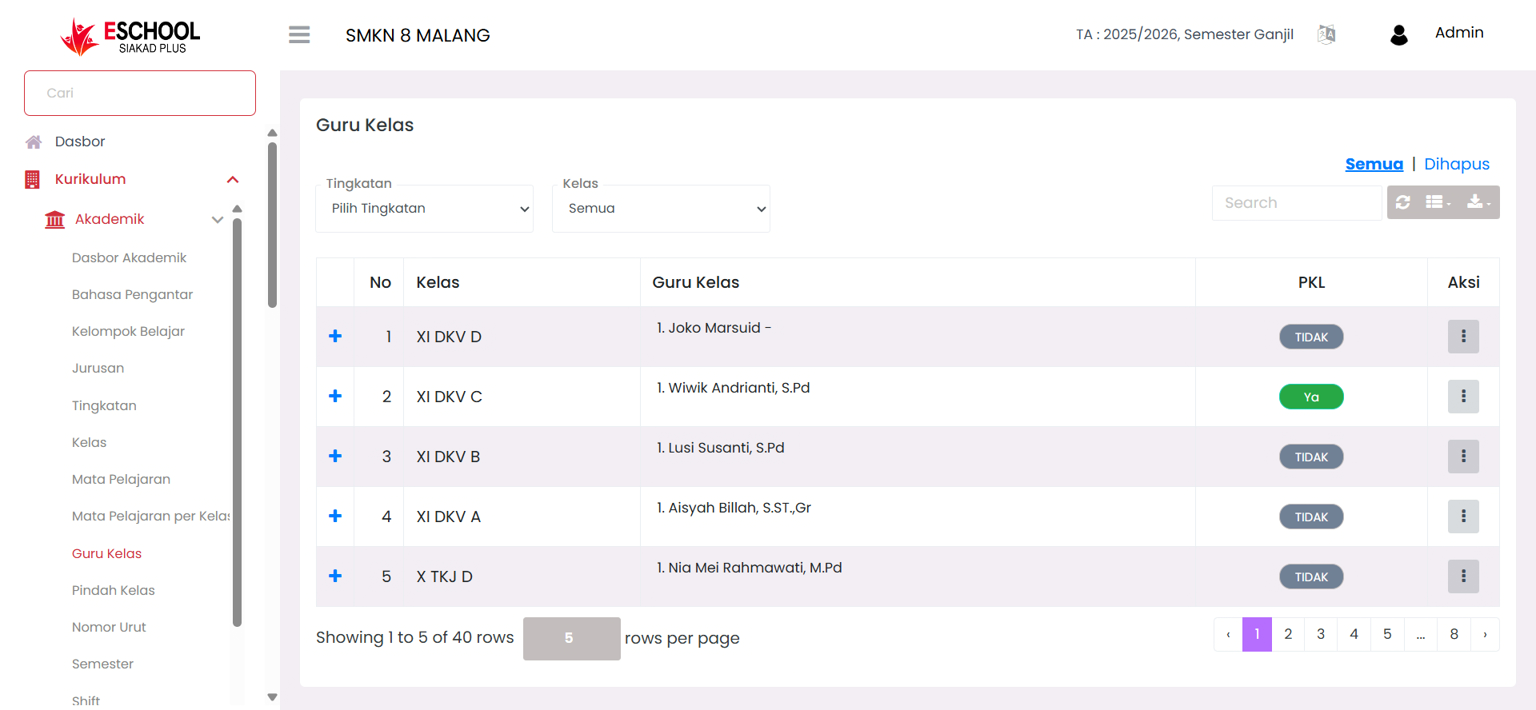
Navigation and Filters
Users can narrow down data display using:
- Grade Level Filter → Select specific grade levels, example: (X, XI, XII).
- Class Filter → Display data for specific classes or all classes.
- "All" & "Deleted" Tabs → Arrange display between active data and deleted data.
- Search Bar → Search for teachers or classes quickly.
Main Components of Class Teachers Table
The table contains the following information:
| Column | Description |
|---|---|
| No | Data sequence number. |
| Class | Name of the supervised class. |
| Class Teacher | Name of homeroom teacher with title. |
| Internship | Status of whether the class is conducting Field Work Practice (Yes/No). |
| Actions | Menu to edit or delete class teacher data. |
Actions & Interactions
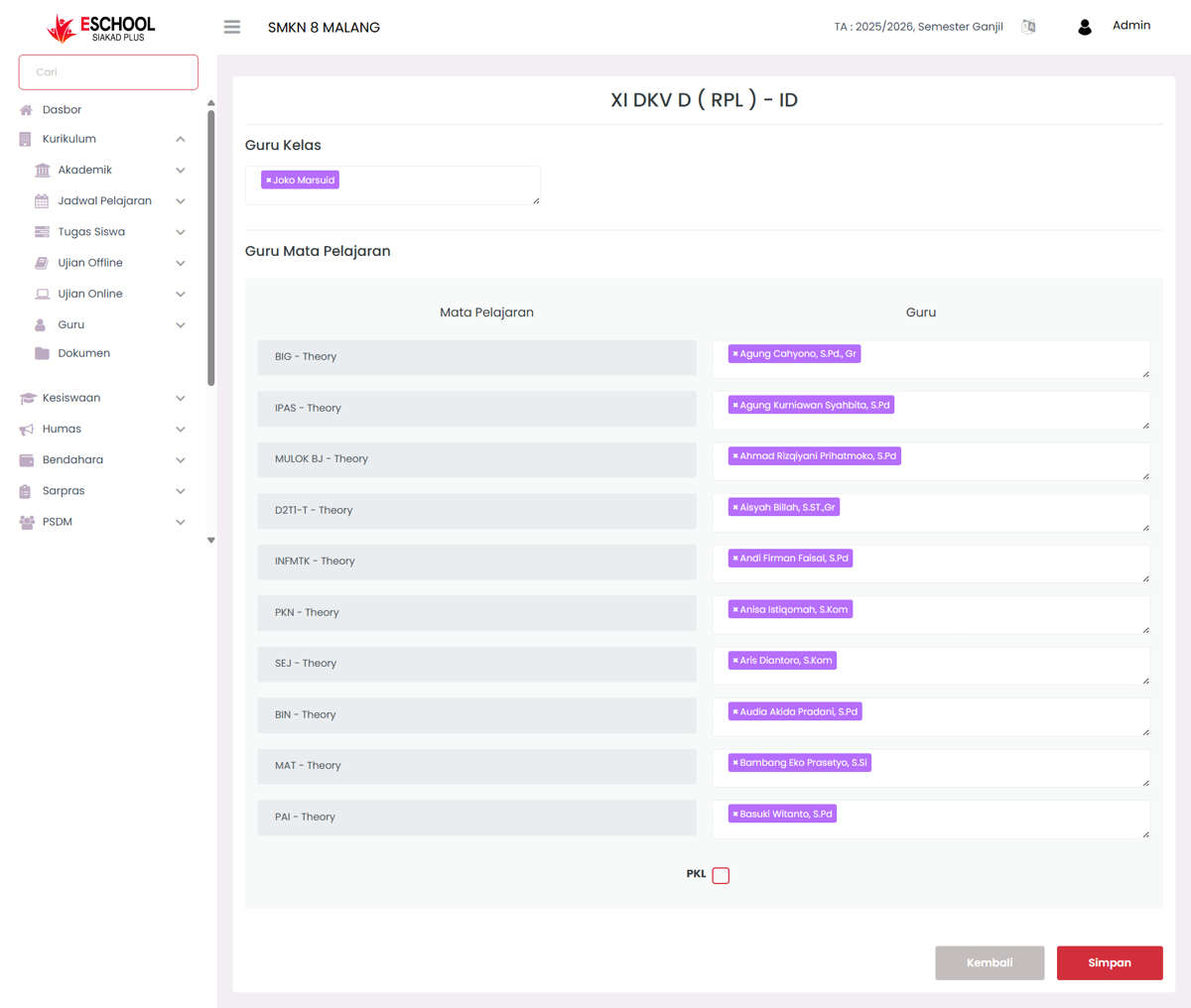
- Add Class Teacher → Determine new homeroom teacher and arrange subject teachers.
- Edit Data → Change homeroom teacher or subject teachers.
- Delete Data → Delete homeroom teacher assignment (with warning confirmation).
- Manage Subject Teachers → Add or replace subject teachers per subject.
- Internship Status → Check if the class is conducting internship.
Benefits of This Feature
- Curriculum → Ensure teaching task distribution is properly distributed.
- Homeroom Teacher → Facilitate coordination with subject teachers.
- School Management → Get a complete picture of each class's teaching structure.
Usage Tips
- Use the Grade Level filter when arranging teachers at the beginning of the academic year.
- Mark Internship status to facilitate schedule and attendance tracking.
- Ensure subject teacher data is always updated whenever there is teacher rotation or transfer.
Need Further Assistance?
If you require additional support, please reach out to us via the eSchool Help Page.