
Study Groups
This page is used to manage the list of study groups for each grade level and major.
The Study Groups page in eSchool SIAKAD Plus functions to manage data on the division of study groups within each level or major available at the school. This feature is essential as a foundation for scheduling, teacher assignments, and other academic administration.
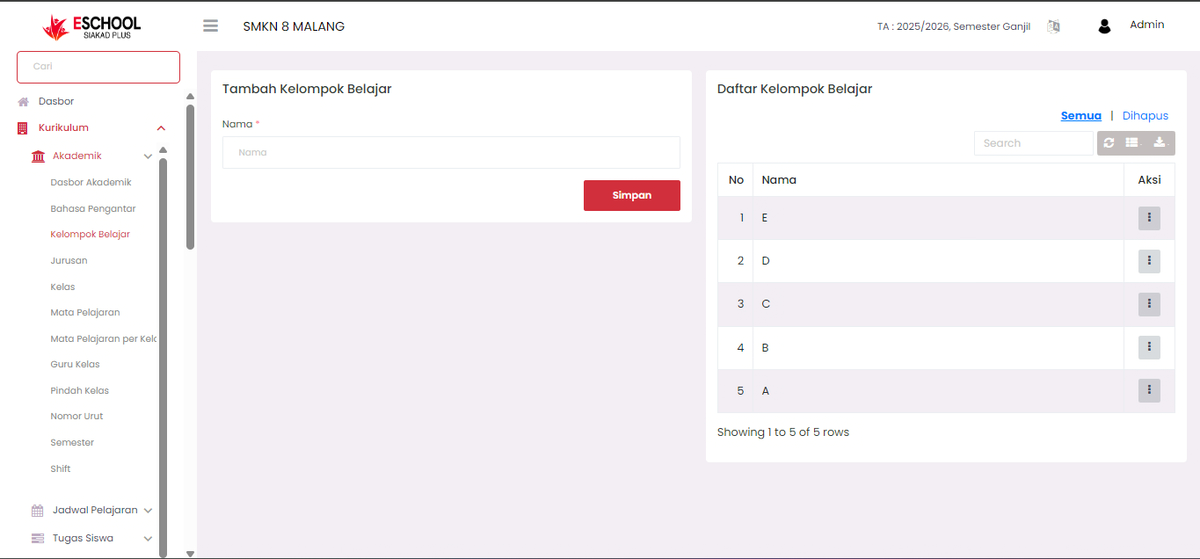
Page Overview
The page display consists of two main sections:
- Add Study Group Form (left)
- Study Group Registry (right)
Adding a Study Group
To add a new study group, you only need to:
- Enter the Name of the study group (example: A, B, C, etc.).
- Click the Save button.
Successfully added data will immediately appear in the table on the right.
Managing the Study Group Registry
In the Study Group Registry section, all registered groups are displayed, complete with sequence numbers and group names.
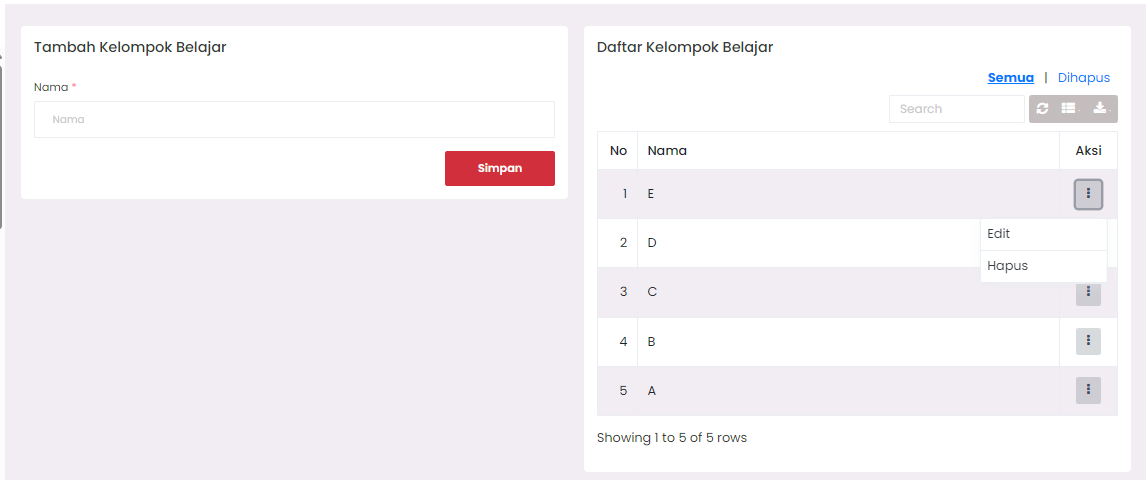
In the Actions column, you will see a vertical three-dot icon (⋮). Click this icon to open two options:
- Edit: To change the name of an existing study group.
- Delete: To remove study group data.
Here's the display when the action button is clicked:
Edit Study Group
If you select Edit, a modal form will appear as follows:
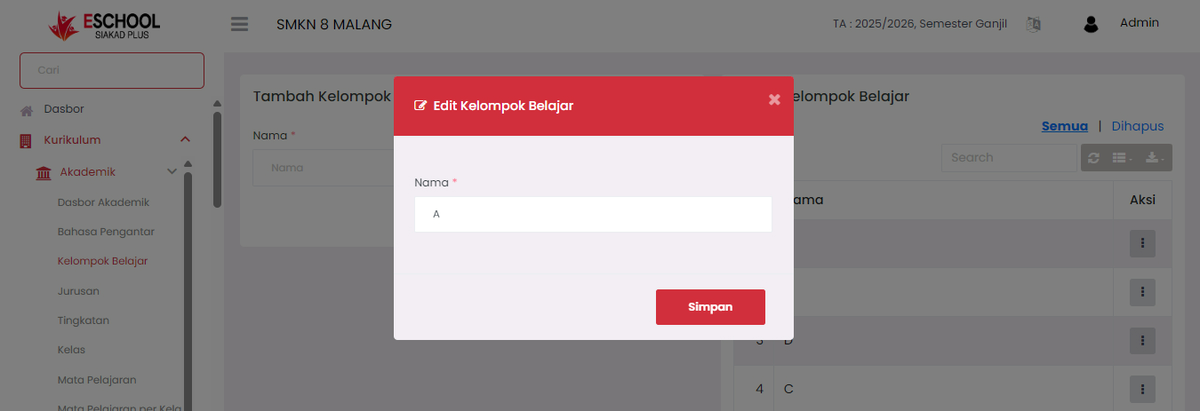
In this form, you can change the Name of the study group, then click Save to save the changes.
Delete Study Group
If you select the Delete option, the relevant study group data will be immediately removed from the system. Make sure you confirm first, as this process cannot be undone.
Notes
- Ensure study group names are not duplicated to avoid conflicts in academic data.
- Study groups that have been used in other configurations (e.g., scheduling) should not be deleted without adjusting other data.
Need Further Assistance?
If you require additional support, please reach out to us via the eSchool Help Page.