
Majors
The Majors page in the Curriculum - Academic module functions to manage the list of majors available at the school.
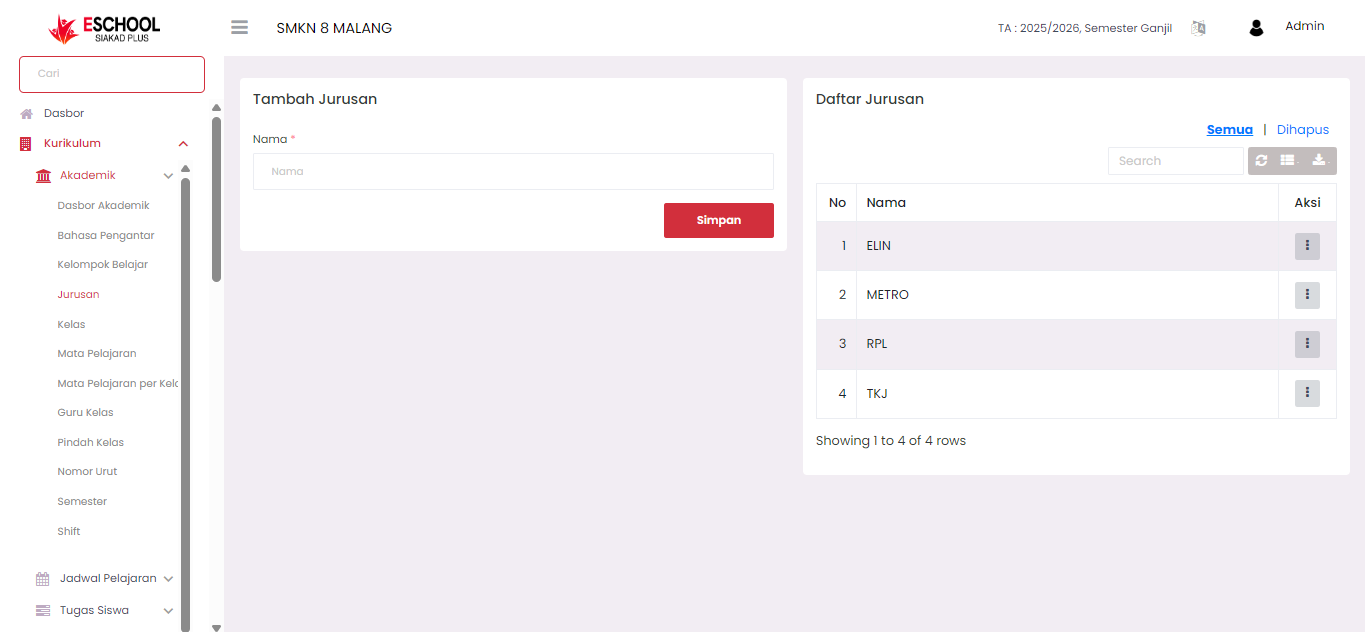
The Majors page is used to record and manage all vocational programs or majors available at the school. This menu is located under the navigation: Curriculum → Academic → Majors
On this page, admins can add new majors, edit existing major names, and delete majors if needed.
Adding a New Major
To add a new major, fill in the form on the left side of the page:
- Name: Enter the major name (example: TKJ, RPL, METRO)
- Click the Save button to save the data
Successfully added majors will appear in the Major Registry table on the right.
Major Registry Table
The Major Registry table displays all active majors that have been registered. Information displayed:
- No: Sequence number
- Name: Major name
- Actions: Button to edit or delete data
To access the action menu, click the three-dot button in the Actions column.
Editing a Major
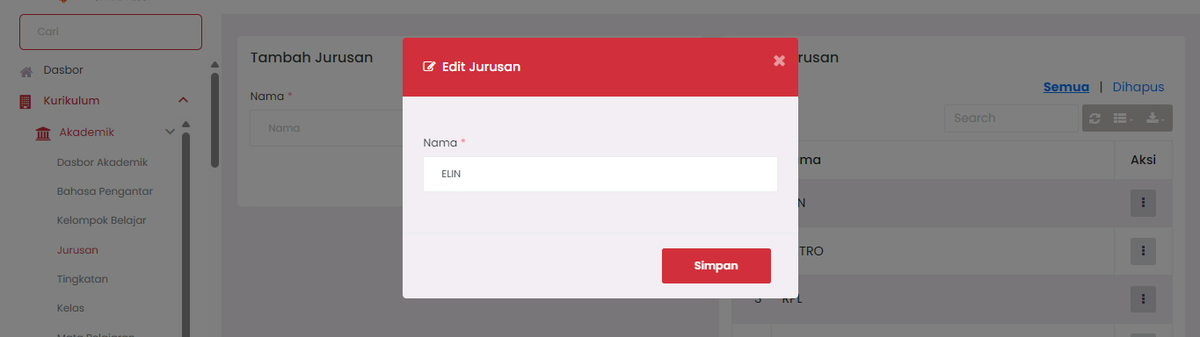
If you want to change a major name:
- Click the Edit button in the action menu
- The Edit Major modal will appear
- Change the name as desired
- Click Save to save the changes
Deleting a Major
To delete a major:
- Click the Delete button in the action menu
- The major will be moved to the Deleted list and will no longer appear in the main list
Managing Deleted Majors
Click the Deleted tab in the upper right of the table to view the list of majors that have been deleted.
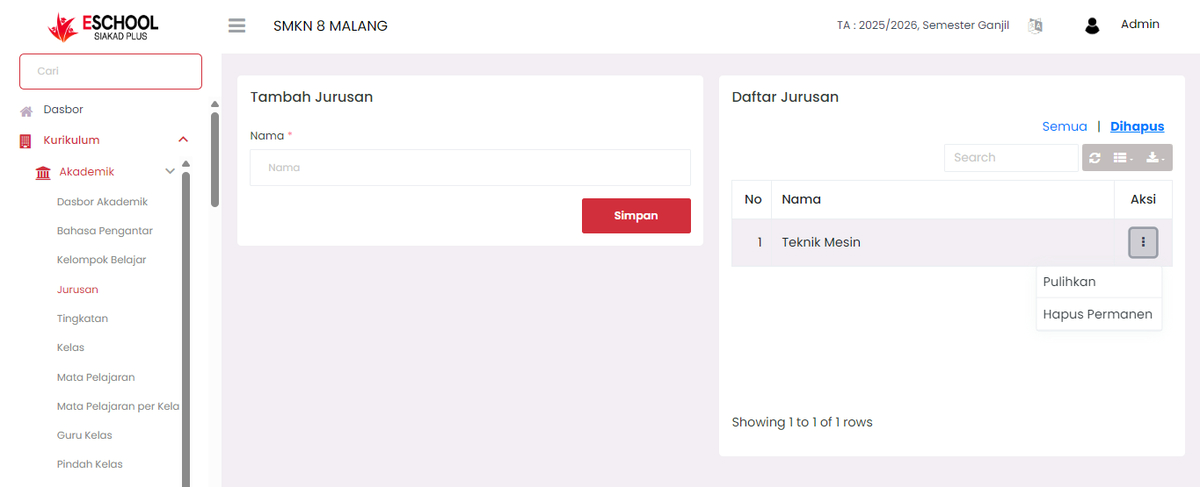
In this list, you have two options:
- Restore: Return the major to the main list
- Permanently Delete: Permanently remove the major data from the system
Need Further Assistance?
If you require additional support, please reach out to us via the eSchool Help Page.