
Classes
This page is used to manage class data at the school in a flexible and structured manner.
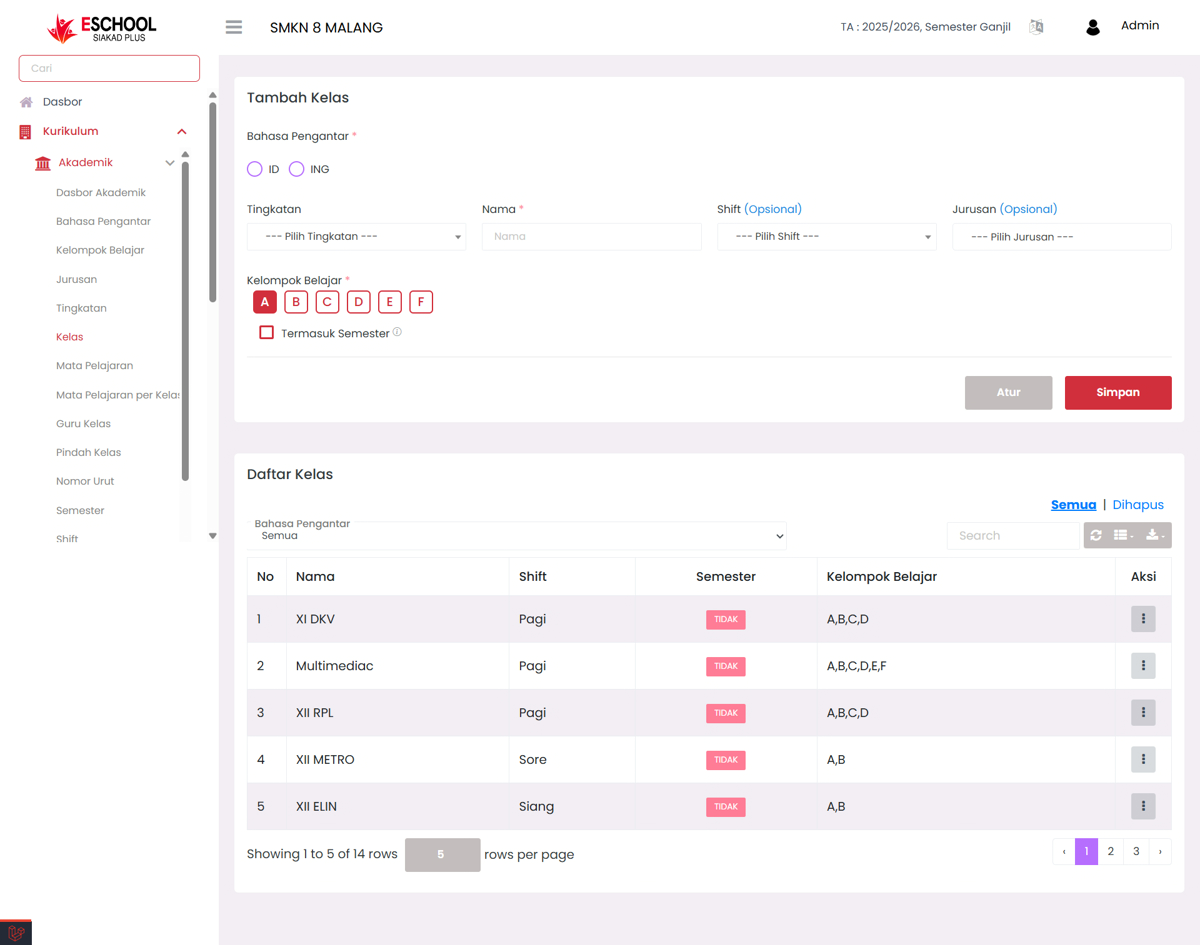
The Add Class page in E-SCHOOL Siakad Plus makes it easy for admins to create, edit, or delete class data according to level, major, shift, and study group. This feature allows accurate class management and can be updated easily at any time.
When to Use This Feature?
- Adding new classes for a new academic year or semester.
- Setting class shifts (morning/afternoon/evening) and majors.
- Determining study groups within a class.
- Modifying existing class data (edit).
- Deleting classes that are no longer in use.
Add Class Form Guidelines
Instructional Language (Required)
Select the primary instructional language for the class:
ID: Bahasa IndonesiaING: English
Grade Level (Required)
Select the grade level such as X, XI, or XII.
Class Name (Required)
Enter the class name, example: XI DKV or XII RPL.
Shift (Optional)
Select the learning time if there are different shifts:
- Morning
- Afternoon
- Evening
Major (Optional)
Select the major according to the school's academic structure.
Study Group (Required)
Check at least one or more active study groups in that class, e.g., A, B, C.
Include in Semester (Optional)
Check this option if the class is used in the current semester.
✅ Click Save to add the class to the list. Click Configure if you want to configure further.
Additional Actions in Class Registry
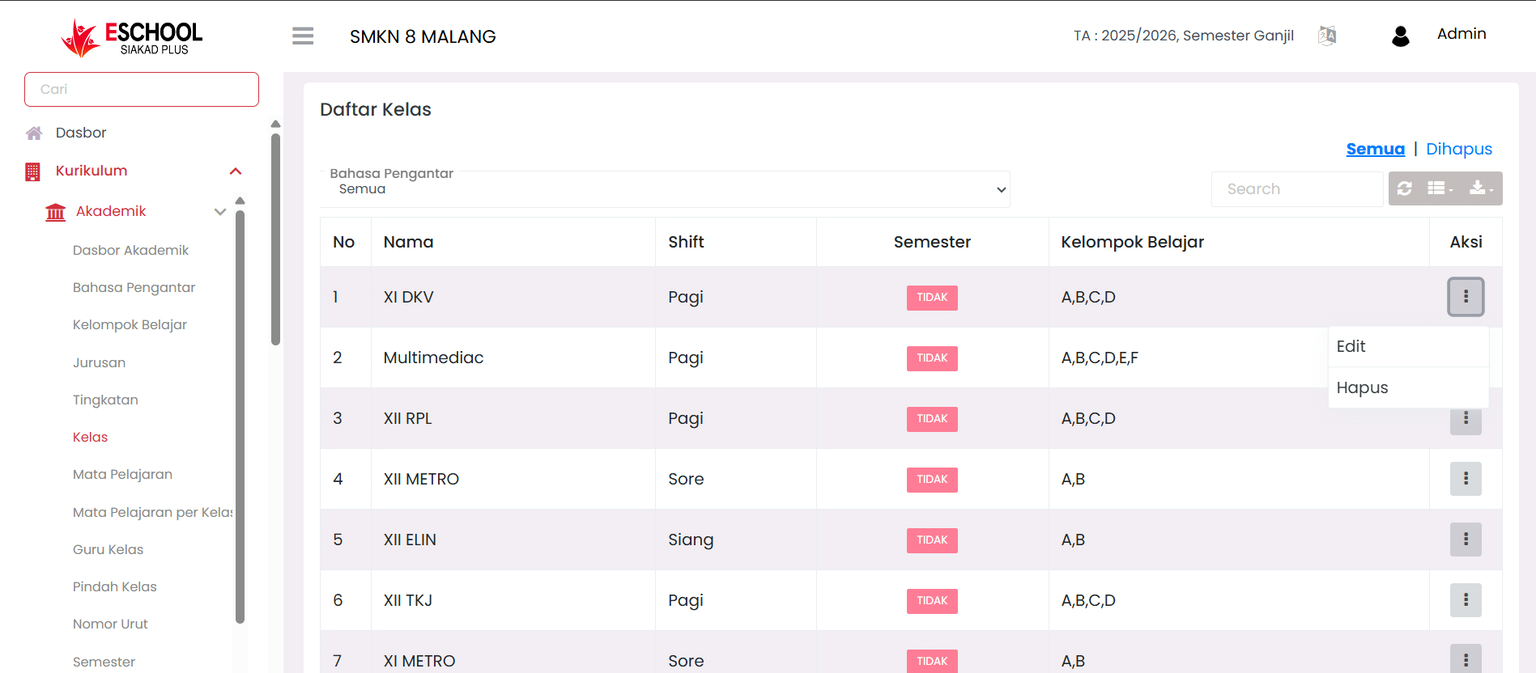
In the Actions column of the Class Registry table, there is a button with a three-dot icon (...), which has two important functions:
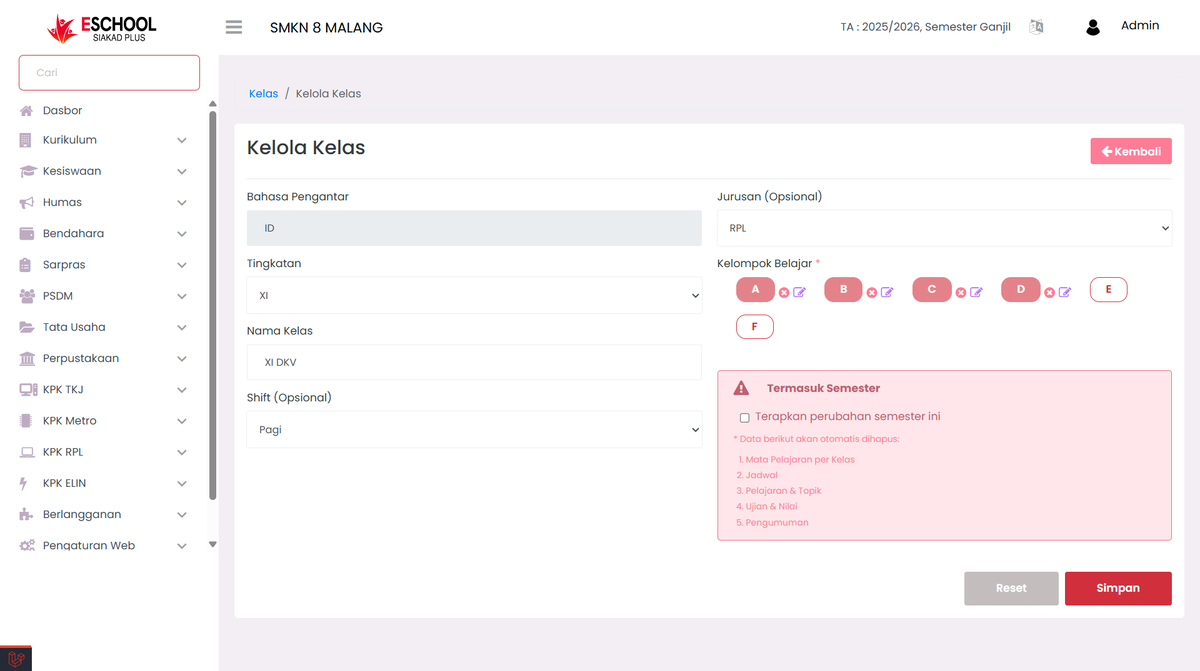
- Edit Class – Update information for registered classes.
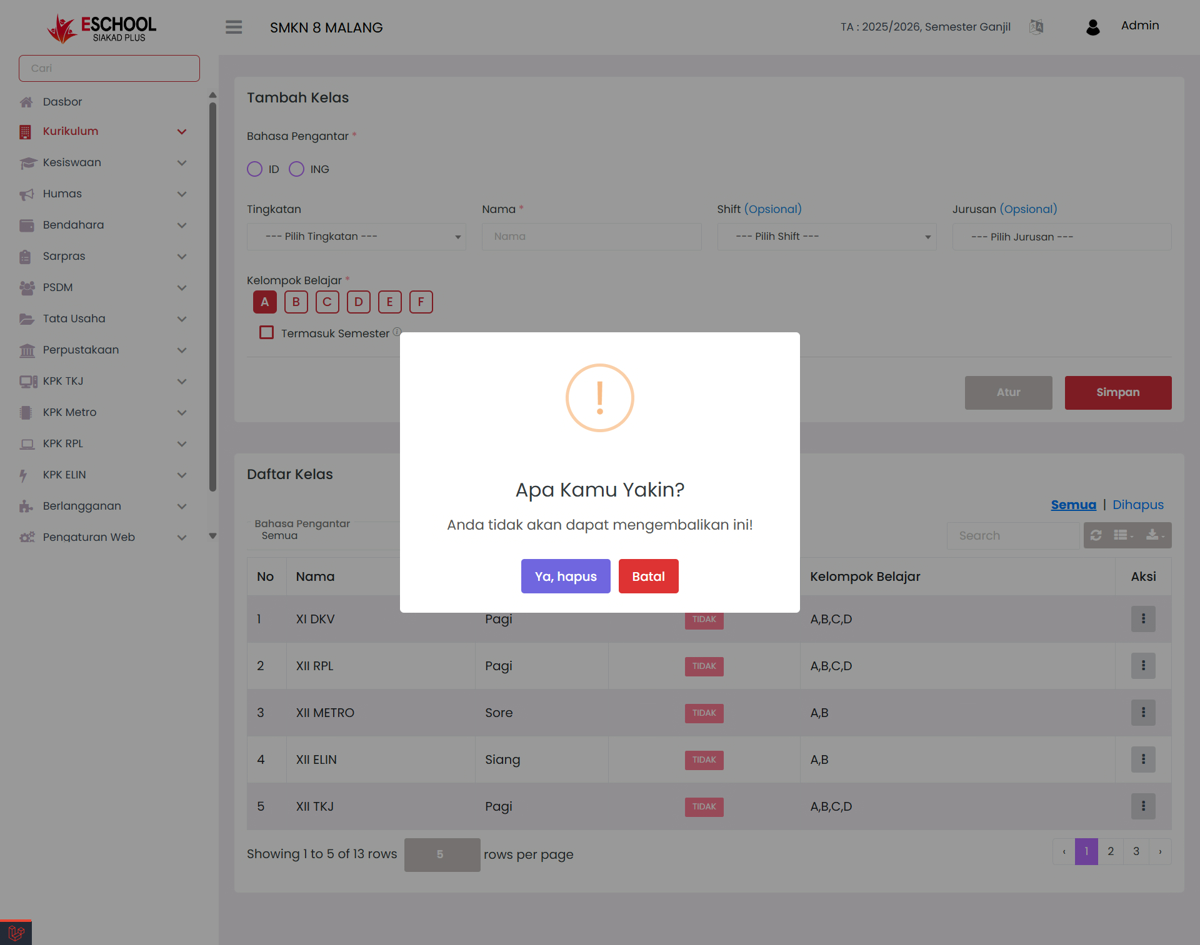
- Delete Class – Remove classes from the system if no longer in use.
Additional Tips
- Use class names consistent with school nomenclature.
- Study groups are useful for dividing students in certain subjects or evaluation groupings.
- Ensure you do not delete classes that are still used in schedules, assignments, or exams.
Need Further Assistance?
If you require additional support, please reach out to us via the eSchool Help Page.