
Instructional Language
This page is used to add, view, edit, and delete instructional languages for each grade level and major.
The Instructional Language page is used to manage the list of instructional languages used in teaching and learning activities at school. This feature helps schools in determining the main language used for each subject, program, or specific curriculum.
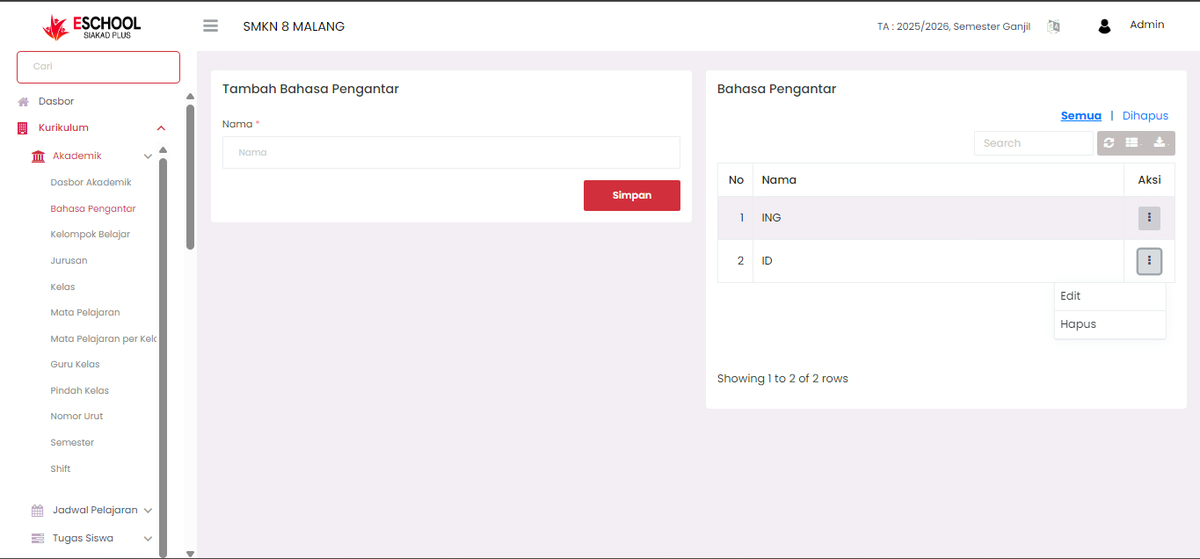
Adding an Instructional Language
To add a new language:
- Navigate to the "Add Instructional Language" form on the left side of the page.
- Enter the Name of the instructional language, for example:
ENGfor English orIDfor Bahasa Indonesia. - Click the Save button.
- The language will automatically be added to the list on the right.
Instructional Language Registry
The right section contains a list of all languages that have been added. This table displays:
- No: Sequence number.
- Name: Language name.
- Actions: Menu button to edit or delete data.
Managing Language Data
Click the vertical three-dot icon (⋮) in the Actions column on each row to reveal two options:
Edit
This will display an Edit Instructional Language modal (popup):
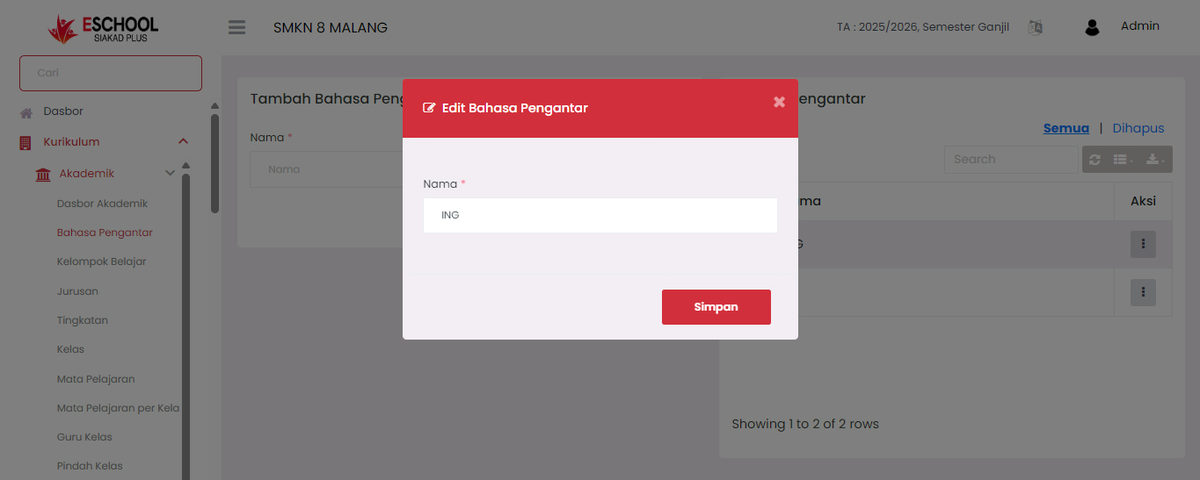
You can change the language name, then click Save to update the data.
Delete
This option will directly remove the language data from the system after confirmation.
[!CAUTION] Ensure you only delete data that is no longer in use, as this may affect curriculum settings or other connected academic data.
Usage Tips
- Use standard abbreviations for consistency (e.g.,
ID,ENG,AR). - You can search for language data using the Search column in the upper right of the table.
- Click the All or Deleted button above the table to display active languages or those that have been deleted (if restore/archive features are available).
[!NOTE] The Instructional Language module is an essential component for supporting multilingual learning management in school environments with special programs such as international or bilingual classes.
Need Further Assistance?
If you require additional support, please reach out to us via the eSchool Help Page.