
Shifts
Manage Class Shift Schedules Efficiently and Flexibly
The Shifts page in eSchool SIAKAD Plus is designed to manage learning operational times based on daily session divisions, such as morning, afternoon, and evening. This feature is very useful for schools that use a multi-shift system or rotating learning, especially in school environments with a large number of study groups.
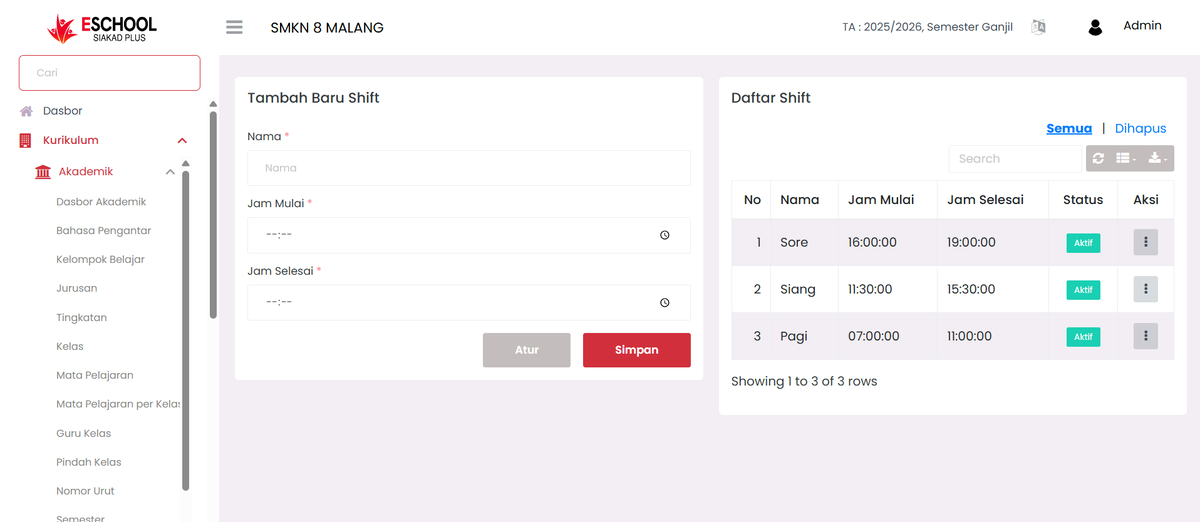
Purpose of This Feature
Arrange learning schedules to match time allocation per shift. This helps in compiling efficient lesson schedules, avoiding time conflicts, and ensuring the availability of learning spaces and teachers.
Navigation & Main Components
1. Add Shift Form
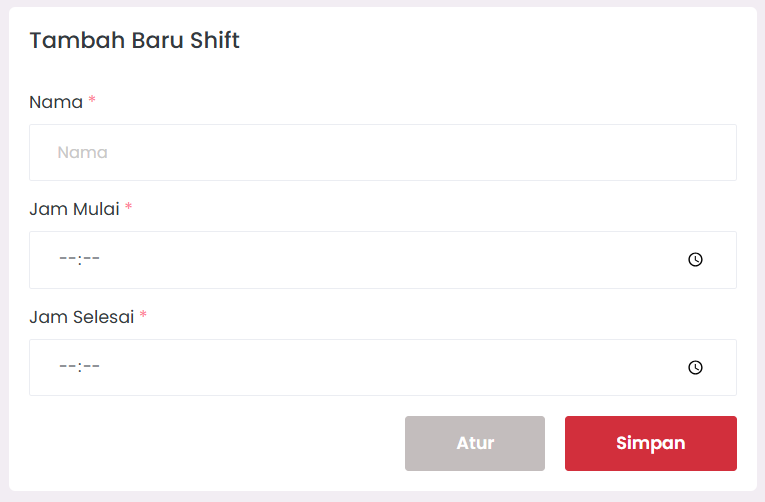
- Shift Name: Example: "Morning", "Afternoon", "Evening".
- Start Time & End Time: Input the start and end time of the shift.
- Save and Configure buttons to manage new shift entries.
2. Shift List Table
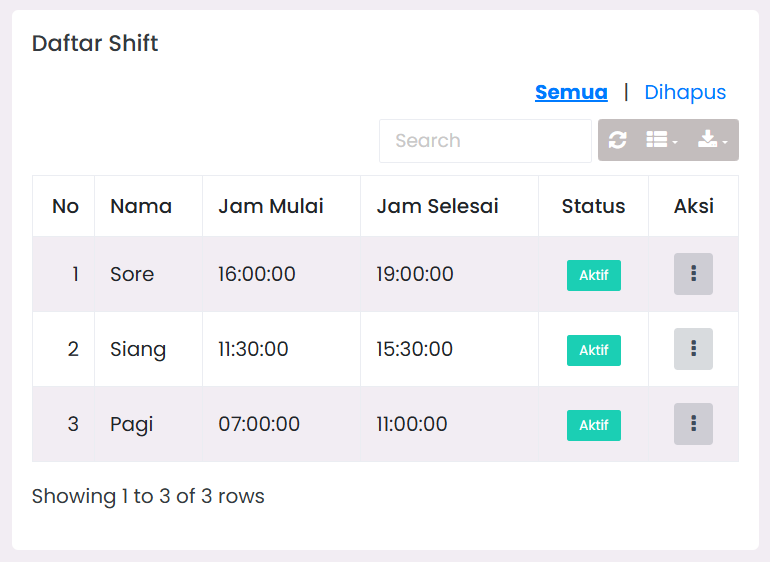
Displays list of active shifts, complete with:
- Shift Name
- Start and End Time
- Shift Status: Active / Inactive
- Actions:
- Edit: Modify shift details.
- Delete: Remove shift with permanent reminder confirmation.
3. Filter & Export
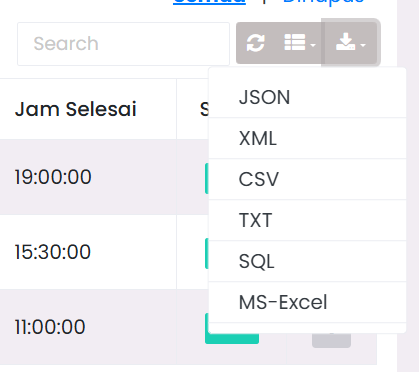
- Quick Search based on shift name.
- "All" and "Deleted" links to view active shifts or those that have been deleted.
- Refresh button and Export Data (downloadable format).
When to Use This Feature?
- Adjusting school operational hours (e.g., block time system).
- When there is a morning and afternoon class division due to facility limitations.
- When rearranging learning schedules in a new semester.
- For attendance management needs and learning time logs.
Benefits for Users
- Curriculum Team: Compile lesson schedules per shift neatly.
- School Admin: Ensure operations run on time.
- Teachers & Homeroom Teachers: Know their class shift operational hours.
Usage Tips
- Use consistent and clear shift naming.
- Activate only applicable shifts, deactivate the rest to keep data tidy.
- Set up shifts first before compiling lesson schedules.
Need Further Assistance?
If you require additional support, please reach out to us via the eSchool Help Page.