
Teacher Schedule
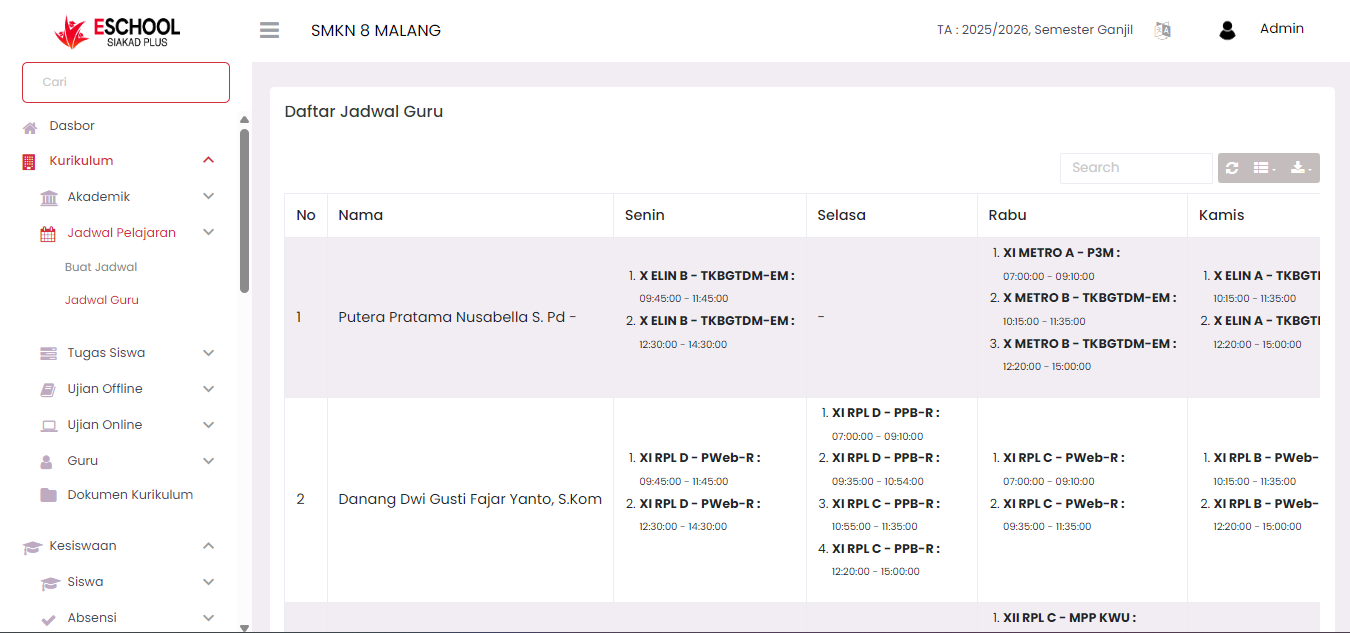
The Teacher Schedule menu functions to display a list of teaching schedules for all teachers in the school, organized by day and class taught. This menu is read-only (for viewing schedules only) so there is no editing feature on this page.
Main Functions of Teacher Schedule Page
1. View Summary of Teacher Teaching Schedules
- This page presents a list of all teachers along with their respective teaching schedules.
- Information displayed includes:
- Teacher Name
- Teaching days (Monday to Saturday)
- Classes taught
- Lesson hours
2. Facilitate Teacher Schedule Monitoring
- This menu is very useful for monitoring a teacher's daily schedule.
- Users can easily see if a teacher has conflicting schedules or empty schedules.
View Teacher Schedule Details
- Each teacher in the schedule list is equipped with a three-dot icon (⋮) in the Action column.
- If the icon is clicked, the system will display complete schedule details in a weekly grid format.
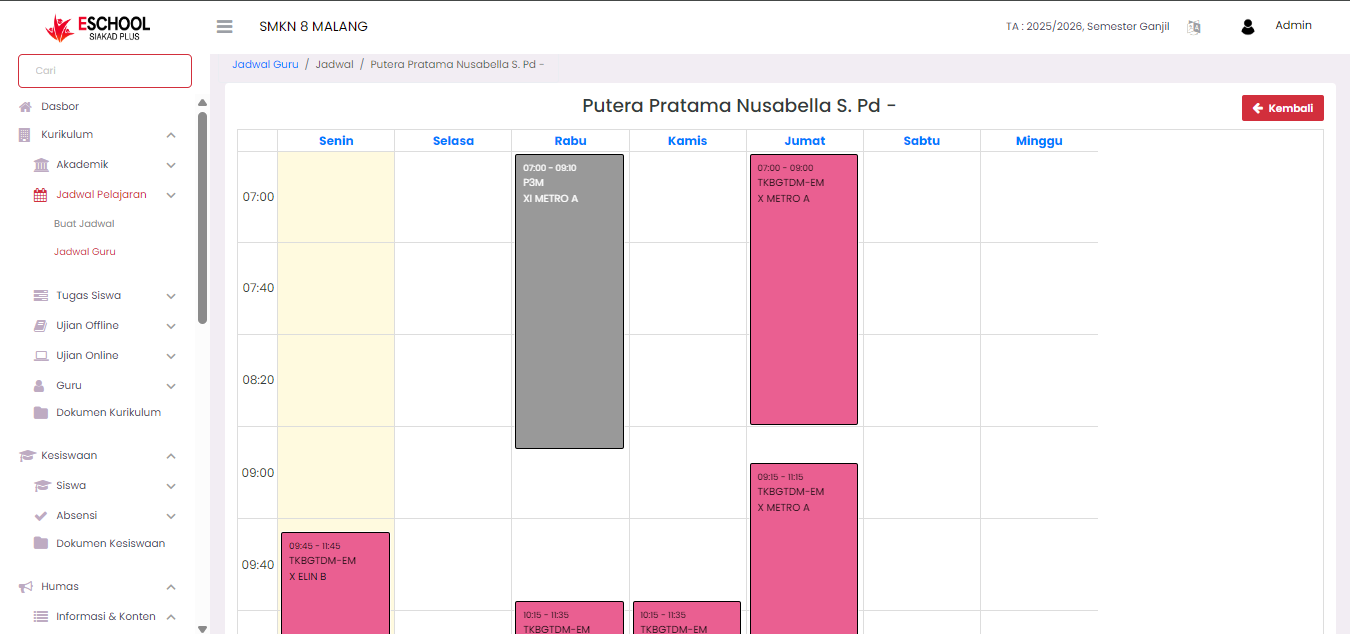
These details will show specifically:
- Subjects taught.
- Classes taught.
- Day and time of implementation.
Important Note: This detail view only functions as a viewer (data display) and cannot be changed. The schedule editing process can only be done through the Create Schedule menu in the Class Schedule menu.
Main Features of This Page:
| Feature | Description |
|---|---|
| Teacher Name List | Displays all teachers who have teaching schedules. |
| Day Columns (Monday - Saturday) | Shows teaching schedules for each day in a structured manner. |
| Class & Time Information | Displayed in detail below the class name. |
| Detail Icon (⋮) | To view the visual display of teacher schedules in weekly form. |
Uses of Teacher Schedule Page:
- Helps the curriculum department verify teacher schedules.
- Serves as a quick reference for teachers to know their personal schedules.
- Assists in coordinating substitutes in case of sudden changes.
Need Further Assistance?
If you require additional support, please reach out to us via the eSchool Help Page.